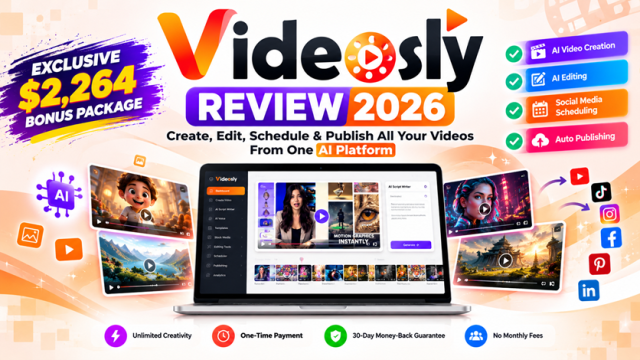
Videosly Review 2026: Is This AI Video Creator, Editor, Scheduler & Publisher Worth It?
 MY IN-DEPTH VIDEOSLY REVIEW • UPDATED OCTOBER 7, 2026
Videosly Review 2026: My Look at This All-in-One AI Video Creator & Publisher
Videosly caught my attention for a simple reason: it isn't trying to stop at generating a video. It brings creation, editing, scheduling and publishing into the same workflow.
I’ve been using software from this vendor for years, so this is not a case where I discovered an unknown developer yesterday and decided to promote the latest launch. I personally use more than seven of their software products, and that history is part of the reason I wanted to take a much closer look at Videosly.
See the Current Videosly OfferSee My 12 Exclusive Bonuses
*These offer details were checked for this review on October 7, 2026. Prices and promotions can change, so check the current checkout before purchasing.
See Videosly in Action Before Reading the Full Review
If you are new to Videosly, I recommend starting with this presentation. It gives you the fastest overview of what the platform is trying to do, and then the rest of my review will make much more sense because you will already have seen the product idea in action.
After watching it, continue below for my own take on the plans, features, limitations, Artistly connection and the bonus package I created for Videosly buyers.
Inside This Videosly Review
Why Videosly Got My Attention in the First Place
I see a lot of AI software launches, and “turn a prompt into a video” by itself is no longer enough to get me excited. There are already plenty of tools that can generate a script, create some visuals or turn text into a short video.
What made me stop and look at Videosly was the bigger workflow.
Creating the video is only part of the job. I still need to decide what the video should be about, make sure the message is right, check the voice and captions, decide where it should be published, schedule it, and then look at what happened after it went live. Videosly is interesting because it tries to bring much more of that process into one place.
That is the lens I am using throughout this review. I am not asking whether AI can magically do my marketing for me. I am asking whether Videosly can make a real video-content workflow easier to manage.
A Little Context: I Already Use More Than 7 Products From This Vendor
I think this is important to explain because it affects how I look at Videosly.
I personally use more than seven software products from this vendor, and my experience with them has been very positive. Some of the products I purchased years ago still receive updates from time to time without extra update charges. That kind of ongoing product development is something I personally value.
This track record is a big reason I was genuinely interested when Videosly was announced. I wasn't looking at a developer I had no experience with. I was looking at another product from a vendor whose software I already use.
Videosly's current offer also states that eligible feature improvements and updates are included at no extra cost based on the plan purchased, which makes the one-time-payment offer even more attractive to me.
I also want to be transparent about affiliate commissions
I can earn a commission if you purchase through my link. But there is something unusual I want to point out: the commission I receive from this vendor is actually lower than what some other software sellers and platforms offer me.
I still recommend their products when I believe they are a good fit.
For me, a bigger commission is not a substitute for being comfortable with the software and the people behind it. My recommendation here is influenced much more by my own experience using this vendor's products than by which offer happens to pay the highest affiliate percentage.
So, What Exactly Is Videosly?
There are three starting points I can see myself using for different jobs.
Prompt-to-Video
If I have an idea but no script yet, this is the fastest starting point. The platform can work from the prompt and build the script, visuals, voiceover, music, sound effects and transitions around it.
URL-to-Video
This one is particularly interesting for anyone who already publishes articles, reviews, landing pages or other written content. Instead of starting again from a blank page, you can use an existing URL as the source for the video.
Script-to-Video
This would be my choice when I care about the exact message. I can prepare the script myself and let Videosly handle more of the production around it rather than handing the writing over completely to AI.
I like having all three options because I don't work the same way on every piece of content.
How I See the Videosly Workflow
1. Start with something real
An idea, an article URL or a script. I like that I don't have to force every project through the same starting point.
2. Let AI do the heavy production work
Videosly can help assemble the script, visuals, narration, captions, music and transitions. This is where I see the biggest time-saving potential.
3. Check what the AI produced
This part matters to me. I don't want to publish something simply because AI generated it. I still want to check the facts, listen to the voice, read the captions and make sure the final video says what I intended.
4. Make it suitable for the destination
A YouTube video and an Instagram post do not always need the same presentation. I would use the master video as a starting point and adapt the creative where necessary.
5. Schedule and publish
Once the video is ready, the content calendar and publishing side becomes useful. It means fewer jumps between separate tools just to get content out.
6. Look at what actually happened
I would still judge the campaign from real results—not from how impressive the AI output looks inside the editor.
One feature I particularly like for video series
You don't have to simply let the AI create a series and hope for the best. You can preview the episodes first, approve the ones you're happy with, reject or regenerate something that doesn't look right, and even change the order before publishing.
For me, that human review step is important. I want AI to speed up the work, but I still want the final say over what actually gets published.
Videosly Demo & Video Examples
Before I go deeper into the features, I suggest watching the Videosly demo below. I've also included a few of the actual video examples shown on the Videosly sales page. There are many more examples available there, but I picked a few here so you can quickly get a feel for the kind of videos Videosly can create without turning this review into a page full of video players.
Videosly Demo
This demo gives you a much better look at Videosly in action than screenshots alone, so I recommend watching it before deciding whether the software fits the way you create videos.
A Few Examples From the Videosly Page
Watching a few examples is useful because it gives you something more concrete to judge than a feature list. Look at the pacing, style, captions and overall presentation and ask whether you can see yourself using that type of output for your own audience.
The Videosly Features I Find Most Interesting
Consistent AI characters
This is more useful to me than simply generating a random AI person for every video. If I am building a series, a recognizable character or host can help the content feel connected from one episode to the next. Videosly says the same face, clothing, proportions and personality can be carried across future videos.
AI voices
Basic currently lists 200+ voices, while All-Access lists 400+ premium voices. The number is nice, but I would not choose a voice just because it is available. I would listen for whether it actually suits the content. For reviews, tutorials and educational videos, a natural voice is more important to me than an overly dramatic one.
Animated captions
I use captions as part of the viewing experience, not just decoration. Videosly can create timed animated captions, which is useful for people watching without sound. I would still check names, product terms and unusual words before publishing.
Video series
This is one of the features that makes All-Access more interesting to me. Instead of thinking about every video as a one-off project, I can think in terms of a sequence: episode one introduces the problem, later episodes teach or demonstrate something, and another video can move the viewer toward the next step.
Content calendar and publishing
This is where Videosly starts to feel less like another video generator and more like a content system. The current offer lists publishing to Facebook, Instagram, TikTok, LinkedIn and YouTube.
Commercial use
The current offer includes commercial-use rights and specifically positions the software for client videos, ads, monetized content and business promotion. That opens up a second use case beyond creating content for yourself: using Videosly as part of a client service.
Videosly Basic vs All-Access: Which One Makes More Sense?
| Feature | Basic | All-Access |
|---|---|---|
| Current price* | $49 one-time | $97 one-time |
| Prompt / URL / Script to video | Yes | Yes |
| Maximum video length | Up to 1 minute | Up to 5 minutes |
| Connected social accounts | Up to 5 | Up to 15 |
| Rendering | Up to 15 renders/day | Advertised as Unlimited Rendering; Fair Use maximum 30/day |
| AI voices | 200+ | 400+ premium voices |
| Content calendar | Included | Advanced scheduling |
| Multi-account management | — | Included |
| Multi-episode series | — | Included |
| Premium styles | Standard styles | Premium styles |
| MCP / ChatGPT / Claude connectivity | — | Listed with All-Access |
| Commercial use | Included | Included |
| Watermark | No watermark | No watermark |
*Offer details checked October 7, 2026. The page currently advertises coupon VIDEO for an extra 10% off. Always check the current checkout.
What would I choose?
If I were buying Videosly for regular use, I would personally lean toward All-Access. The reason isn't simply that it has more features. The one-minute limit on Basic is fine for short social content, but five minutes gives me much more room for reviews, explainers, tutorials and affiliate content. I also like having room for up to 15 connected social accounts rather than five.
There is one detail I want to point out, though. The sales page uses the term “Unlimited Rendering” for All-Access, while the Fair Use limit is 30 renders per day. Thirty renders a day will probably be plenty for many individual users, but I would rather tell you exactly what the limit is than simply repeat the word “unlimited.”
Videosly + Artistly: This Is Where the Ecosystem Gets More Interesting for Me
Artistly is another reason Videosly immediately made sense to me. I already follow and publish updates about Artistly, and Videosly specifically lists Artistly among the tools it can connect with, along with CloneVoice and VideoExpress.
That makes the idea more interesting than looking at Videosly as a standalone video generator. I can think about the visual-creation side with Artistly and then move into the video-production and publishing side with Videosly.
I don't want to invent an integration workflow that I haven't confirmed step by step, so I am keeping this simple: Videosly's current information says the products can connect. As I work more with the workflow, I can update this review with more specific examples.
If you want to explore Artistly as well
My Artistly Resource PageArtistly WorkshopArtistly Webinar
My Artistly & Talking Photos Update Coverage
There is another page I don't want to leave buried in a small link. I have also published dedicated coverage of the major updates around Artistly AI and Talking Photos AI. It is useful background if you want to see the wider direction of this vendor's creative tools and the kinds of updates I have been following.
Videosly vs the Way I Would Normally Build a Video Campaign
| Part of the job | Typical multi-tool workflow | With Videosly |
|---|---|---|
| Idea / source | Notes, article or writing tool | Prompt, URL or script |
| Script | Write separately | Can be AI-assisted inside the workflow |
| Visuals & assembly | Assets + separate editor | AI-assisted creation and styles |
| Voice | Record or use another service | AI voice library |
| Captions | Editor or caption tool | Animated captions |
| Scheduling | Another dashboard or native apps | Content calendar |
| Publishing | Move between social accounts | Supported publishing from the platform |
I am not saying Videosly makes every specialist tool unnecessary. If I need very advanced manual editing, specialist analytics or a highly customized production, I may still use another tool. The attraction for me is reducing the number of separate steps for everyday marketing videos.
Where I Can See Myself Using Videosly
Affiliate review campaigns
A written review can become several videos: the problem, a feature walkthrough, who the product is for, a comparison, an FAQ and a final recommendation.
My existing articles
URL-to-Video gives me a practical way to revisit content I have already published instead of constantly starting from zero.
Educational content
All-Access's five-minute limit is much more useful for explainers and tutorials than a short clip alone.
Local-business campaigns
A business could build videos around FAQs, services, common customer questions and seasonal campaigns.
Client video services
Commercial-use rights make it possible to build video packages for clients, provided the service is priced around real time and costs.
Recurring series
This may be one of the best fits: one subject broken into a planned sequence rather than thirty unrelated videos.
What I Like About Videosly—and What You Should Know Before Buying
What I like
- It goes beyond generation into scheduling and publishing.
- I can start from a prompt, URL or my own script.
- The human approval step is important to me.
- Consistent characters make more sense for recurring content.
- All-Access gives me room for longer explainers and reviews.
- The current offer is one-time rather than a monthly subscription.
- Commercial use makes client work possible.
- The connection with Artistly is especially relevant to my existing workflow.
Things I would keep in mind
- Basic's one-minute limit is aimed more at short-form content.
- “Unlimited Rendering” on All-Access is subject to a 30-render/day Fair Use maximum.
- 15 connected accounts is not the same as 15 different platforms.
- I would still review AI scripts, captions, visuals and voices before publishing.
- No video tool can replace choosing a good topic and understanding the audience.
- Social-platform rules can change independently of the software.
Who I Think Videosly Is Best For
I think Videosly makes the most sense for someone who expects to create video regularly—not someone who needs one video every six months.
Affiliate marketers, content publishers, coaches, local businesses, agencies, freelancers and product sellers can all find a use case here, but the common thread is consistency. The more often you need to go from idea to finished content to publishing, the more useful an integrated workflow becomes.
Who may not need it?
If you rarely make videos, already have a production system you love, or need advanced professional editing above everything else, I would not buy another tool simply because it uses AI. The workflow has to solve a real problem for you.
Videosly Video-to-Revenue Accelerator: 12 Interactive Tools
I did not want to create twelve bonuses that simply duplicate things Videosly already does. If the software can generate a script or schedule a post, giving you another generic script writer or scheduler as a “bonus” doesn't add much value.
So I built these around the decisions that happen before and after the video is generated: what to create, how to position it, how to connect it to an offer, how to repurpose it, how to price client work and how to learn from the results.
Choose stronger video opportunities before spending time producing them.
Work through opening angles and score the strength of your hook before production.
Check whether the video and offer genuinely belong together.
Turn one core idea into platform-aware variations without losing the message.
Structure longer videos with time blocks, re-engagement points and a clear CTA.
Map a full month of content around real pillars and campaign objectives.
Build a CTA that fits what the viewer has actually watched.
Create a seven-video, value-first affiliate campaign with disclosure and claim checks.
Build local video campaigns around customer needs, proof and appropriate next steps.
Model your time, costs, pricing, margins and client capacity before quoting work.
Log real results and look for patterns instead of guessing what worked.
Bring the complete planning, publishing, measurement and monetization workflow together.
Combined Suggested Value: $2,264
These are original ePlanetJReviews implementation tools. The suggested values are values I assign to the resources for this bonus package, not third-party appraisals.
How to claim my Videosly bonuses
Purchase Videosly through my link, save your receipt, and email your proof of purchase to support@eplanetj.com. Once the qualifying purchase is verified, I will send the private bonus-access details.
Videosly FAQ
How long can Videosly videos be?
Basic currently supports videos up to one minute. All-Access increases that to up to five minutes.
Which social platforms are listed?
The current Videosly offer lists Facebook, Instagram, TikTok, LinkedIn and YouTube. Basic supports up to five connected social accounts, while All-Access supports up to 15 connected accounts.
Is All-Access really unlimited?
The sales page uses “Unlimited Rendering,” but the Fair Use maximum is 30 renders per day. I think that distinction is worth knowing before you buy.
Can Videosly work with Artistly?
Videosly's current information lists Artistly, CloneVoice and VideoExpress as tools it can connect with. I have linked my existing Artistly resources earlier in this review.
Can I use Videosly for clients?
The current offer includes commercial-use rights and specifically mentions client work, ads, monetized content and business promotion.
Does Videosly add a watermark?
The current offer says there is no watermark on Basic or All-Access.
Is Videosly a monthly subscription?
The current offer presents Basic and All-Access as one-time-payment plans rather than monthly subscriptions.
What coupon is currently shown?
When I checked the offer for this review on October 7, 2026, coupon VIDEO was advertised for an extra 10% off. Check the current checkout in case the promotion has changed.
My Final Verdict on Videosly
After going through Videosly, the thing I keep coming back to is the workflow. I don't need another AI tool simply because it can generate a video. What I find more useful is being able to start with an idea, URL or script, build the video, review it, organize the content and move toward publishing without stitching together as many separate steps.
If I were choosing between the two plans for my own regular use, I would lean toward All-Access. Five-minute videos fit the kind of reviews, tutorials and educational content I create much better than a one-minute ceiling, and the additional connected accounts give me more room to grow.
My confidence in looking at Videosly also comes from something a feature table cannot show: I already use more than seven products from this vendor and have had a very positive experience with them over the years. I continue to receive updates on software I purchased in the past, and I value that.
And as I mentioned earlier, I am not saying this because this vendor pays me the highest affiliate commission. They don't. I recommend products when I am comfortable putting my name behind the recommendation.
If Videosly fits the way you want to create and publish video, I think it is well worth taking a closer look at the current offer and watching the demo before making your decision.
Review Notes, Sources & Disclosure
Last checked: October 7, 2026.
Product features, plan differences, supported social platforms, render limits, commercial-use information, guarantee, pricing, coupon and the stated Artistly/CloneVoice/VideoExpress connectivity in this review are based on the Videosly offer information available when this article was prepared. Because software and promotions change, I recommend checking the current offer before purchasing.
Statements about my ownership/use of more than seven products from this vendor, my satisfaction with those products, receiving updates without extra update charges, and the relative affiliate commission reflect my own experience.
Affiliate Disclosure: This page contains affiliate links. If you make a purchase through these links, we may earn a commission at no extra cost to you.
Results Disclaimer: There are no guarantees of income or results. Any examples, case studies, or success stories are not typical and should not be interpreted as a promise or guarantee of results. Always do your own due diligence before purchasing any product or service.
Copyright Notice: This page is not affiliated with or endorsed by Videosly or its creators. All trademarks and copyrights are the property of their respective owners.