Poppy AI Review: Is the AppSumo Lifetime Deal Worth It?
Poppy AI Review 2026: Is This Visual AI Workspace Worth Buying?
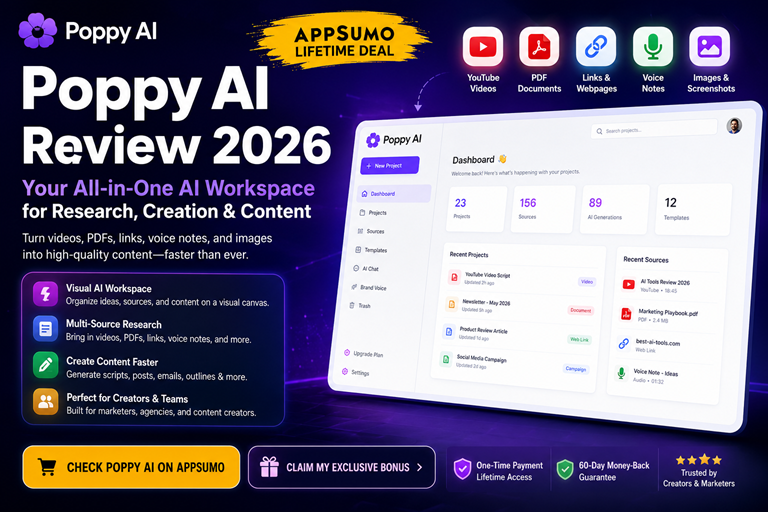
Poppy AI helps creators, marketers, and agencies turn YouTube videos, PDFs, links, voice notes, images, and research into scripts, posts, emails, outlines, and campaign ideas.
Quick Verdict
Poppy AI is worth considering if you regularly create content from research. Its biggest strength is helping you organize source material visually and turn it into useful content assets.
It is not ideal if you only need a simple chatbot, occasional AI answers, or fully automated one-click content with no editing.
Who Should Buy Poppy AI — And Who Should Skip It?
Choosing the right AI tool depends on how you create content. Poppy AI is designed around research-driven workflows rather than simple AI conversations. Before buying, consider whether your daily work matches the type of workflow the platform was built for.
✅ Poppy AI Is A Good Choice If You...
- Create content every week.
- Research YouTube videos before writing.
- Work with PDFs, webpages, or client documents.
- Create blog posts, emails, reviews, or social media content.
- Manage multiple projects at the same time.
- Want one place to organize ideas and AI conversations.
- Prefer visual organization over endless browser tabs.
- Repurpose existing content into multiple formats.
❌ Poppy AI May Not Be Right If You...
- Only use AI occasionally.
- Need a simple chatbot.
- Expect AI to create perfect content without editing.
- Never work with research material.
- Dislike visual workspaces.
- Want instant one-click automation.
- Rarely create long-form content.
- Already have a workflow that meets all your needs.
See Poppy AI In Action
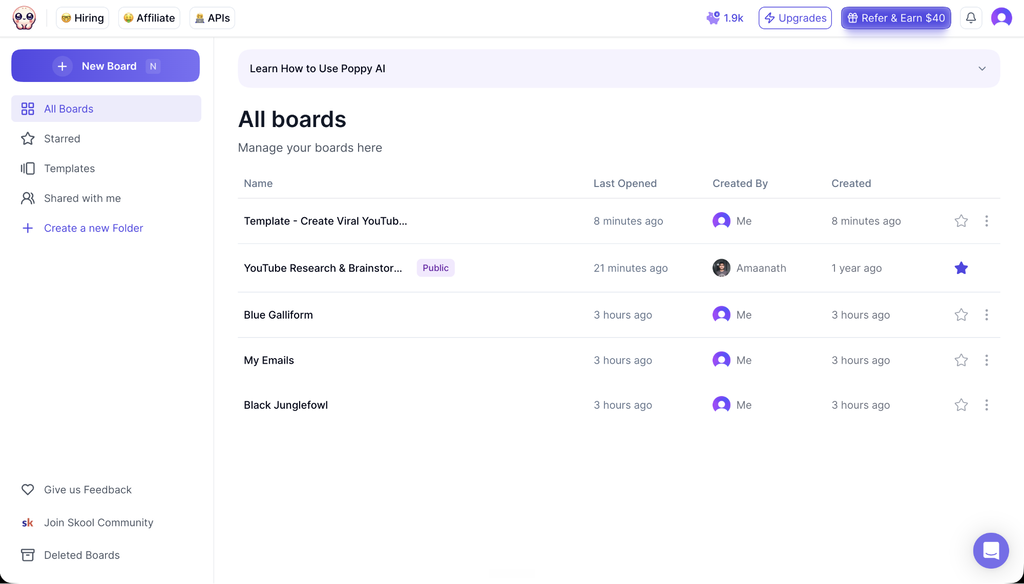
The fastest way to understand Poppy AI is to see how it works as a visual AI workspace. Instead of starting with a blank prompt, you bring in real source material and build from there.
This makes Poppy AI especially useful for people who research first and create second: content creators, affiliate marketers, agencies, social media teams, and consultants.
What Is Poppy AI?
Short answer: Poppy AI is a visual AI workspace that helps users collect source material, organize it on a canvas, and generate content from that context.
Instead of typing random prompts into a chatbot, users can work from real inputs such as YouTube videos, PDFs, links, voice notes, images, documents, and research material.
The main advantage is workflow. Poppy AI helps connect the research stage with the content creation stage, which can reduce tab-switching, scattered notes, and repeated prompting.
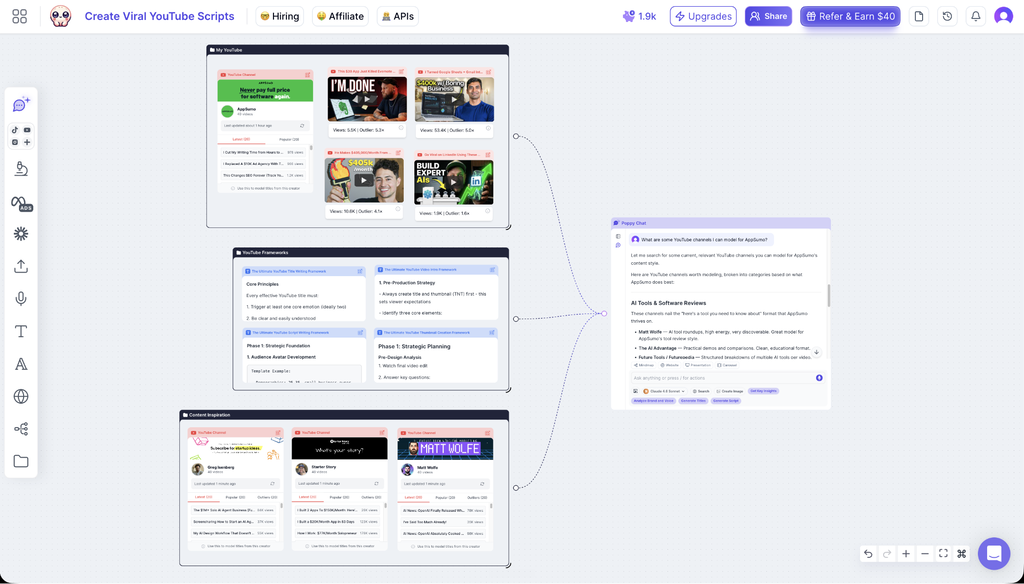
Key Poppy AI Features That Matter
Poppy AI is not valuable because it writes with AI. Many tools do that. It becomes useful because it lets users combine source material, visual organization, and content generation in one workflow.
Organize sources, notes, ideas, and AI outputs in a visual workspace instead of scattered tabs.
Use videos, PDFs, links, voice notes, images, and documents as input for content creation.
Create scripts, posts, emails, summaries, campaign ideas, outlines, and repurposed assets.
Move from research to content using repeatable systems instead of one-off prompts.
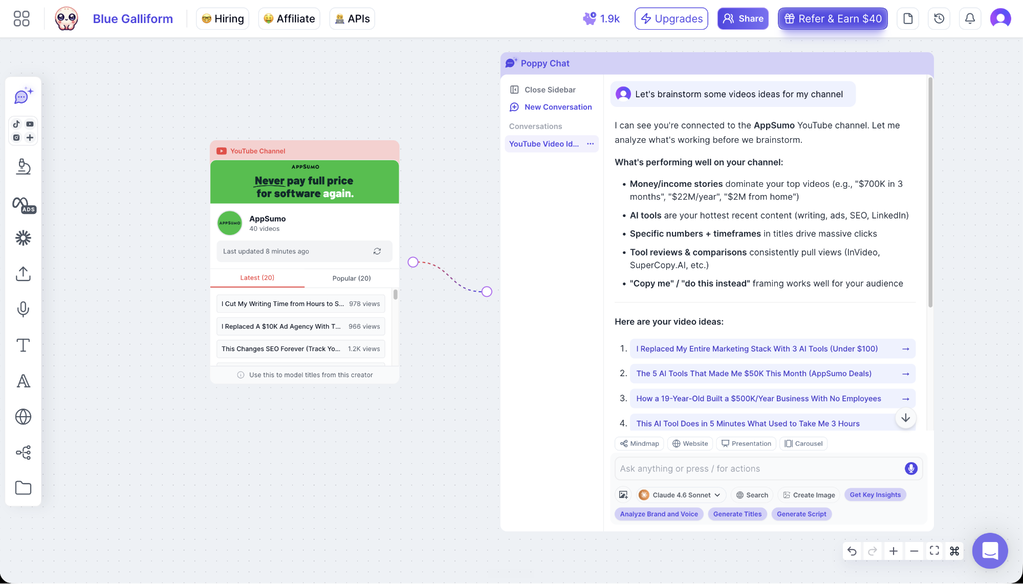
Why Poppy AI Can Help You Write Faster
Most AI writing problems are not writing problems. They are context problems. If the AI does not understand the source, audience, angle, and goal, the output often sounds generic.
Poppy AI helps by keeping research closer to the writing process. You can use source material to extract ideas first, then turn the strongest ideas into useful content.
How Poppy AI Works In A Real Content Workflow
Short answer: Poppy AI works best when you use it as a source-driven content system. You add research material, extract useful ideas, choose the strongest angles, and then turn those angles into content assets.
This is different from asking a chatbot to “write something” from scratch. Poppy AI is most useful when the AI has meaningful context to work with.
| Step | What You Do | Why It Matters | Example Output |
|---|---|---|---|
| 1. Add source material | Bring in a YouTube video, PDF, webpage, notes, image, or voice note. | The AI has real context instead of guessing from a vague prompt. | Research board, source summary, idea map. |
| 2. Extract ideas | Ask Poppy AI to identify lessons, examples, hooks, claims, objections, and takeaways. | You separate raw information from useful content angles. | List of hooks, themes, objections, content ideas. |
| 3. Choose the strongest angle | Select the ideas that are most useful for your audience. | Good content needs focus. Not every extracted idea deserves to become content. | One email angle, one post angle, one video angle. |
| 4. Generate content | Turn the selected angle into a post, email, script, outline, or campaign. | The output is based on source material instead of generic AI writing. | Newsletter, blog outline, LinkedIn post, review outline. |
| 5. Edit and publish | Review for accuracy, tone, originality, and platform fit. | AI output should be treated as a draft, not the final version. | Edited, publish-ready content. |
Best Poppy AI Workflows For Creators And Marketers
These workflows are the most practical ways to use Poppy AI if your goal is to create useful content faster without starting from a blank page.
🎥 Workflow 1: YouTube Video → Content Pack
Use this workflow when you find a useful video and want to turn it into several content assets.
📄 Workflow 2: PDF → Newsletter
Use this workflow when you have a PDF, guide, report, ebook, or checklist and want to turn it into a useful email.
🔗 Workflow 3: Sales Page → Affiliate Campaign
Use this workflow when promoting an AppSumo deal, SaaS product, digital tool, or launch offer.
🕵️ Workflow 4: Competitor Page → Content Gaps
Use this workflow when researching competing articles, landing pages, or review posts.
Who Should Buy Poppy AI — And Who Should Skip It?
Good Fit
Poppy AI is a strong fit if you regularly create content from research and want a more visual way to organize your sources and outputs.
Not Ideal
Poppy AI may not be the right tool if you only need occasional AI answers or do not want to organize source material before creating content.
Poppy AI Compared To ChatGPT, Claude, NotebookLM, Miro, And Jasper
Poppy AI does not replace every AI tool. It fits best as a visual workspace for source-driven research and content creation.
| Tool | Best For | Where Poppy AI Is Different |
|---|---|---|
| ChatGPT | General AI chat, brainstorming, writing, coding, and reasoning. | Poppy AI offers a more visual source-to-content workspace. |
| Claude | Long-form drafting, document reasoning, and careful writing. | Poppy AI is more focused on visual organization and content workflows. |
| NotebookLM | Source-grounded summaries and research assistance. | Poppy AI feels more creator-focused and campaign-oriented. |
| Miro | Whiteboarding, collaboration, diagrams, and visual planning. | Poppy AI is more focused on AI-assisted research and content generation. |
| Jasper | Marketing copy and brand-focused AI writing. | Poppy AI emphasizes visual source organization before content generation. |
Poppy AI AppSumo Lifetime Deal Analysis
Short answer: The Poppy AI AppSumo deal is most attractive if you regularly create content from research and want a visual AI workspace to organize source material, ideas, and outputs.
What to check before buying
AppSumo deal terms can change, so always check the live checkout page before purchasing. Pay attention to credits, tier limits, team access, workspace limits, refund policy, and future update terms.
| Question | What to look for |
|---|---|
| Is the deal still live? | Check the current AppSumo page before publishing or buying. |
| Which tier should I choose? | Choose based on how often you create content and how many credits/workspaces you need. |
| Is it worth the cost? | It is more worthwhile if you regularly turn research into content, campaigns, or client assets. |
| What is the risk? | AI outputs still require editing, and the tool is not a replacement for strategy or judgment. |
Common Mistakes New Poppy AI Users Make
Many users expect AI tools to deliver perfect results immediately. In reality, the quality of the output depends heavily on the quality of the source material, prompts, and editing process.
Poppy AI performs best when it has useful videos, PDFs, webpages, or documents to analyze.
Specific prompts usually produce more relevant and actionable results.
Always verify facts, improve readability, and add your own expertise before publishing.
Breaking projects into research, planning, drafting, and editing stages usually produces better results.
Keeping related sources together on the visual canvas helps maintain context throughout the project.
One research project can often become multiple blog posts, newsletters, emails, social posts, and video scripts.
AI is most effective as an assistant rather than a replacement for strategic thinking and editing.
Poppy AI Pros And Cons
Pros
Cons
Get AI Success Hub Pro – Poppy AI Edition
If you purchase Poppy AI through my AppSumo link, you can claim access to AI Success Hub Pro – Poppy AI Edition, an interactive companion app designed to help you use Poppy AI faster.
What You Receive
| Bonus | What it includes |
|---|---|
| AI Success Hub Pro | Interactive companion app for Poppy AI implementation. |
| AI Playbooks | YouTube, PDF, sales page, notes, client brief, and competitor workflows. |
| Prompt Vault | Copy-ready prompts for research, email, social, review, and campaign creation. |
| 30-Day Builder Plan | Daily implementation missions to help you use Poppy AI consistently. |
Delivery time: Most bonus requests are reviewed within 24 hours after receipt submission.
Buy Poppy AI First Submit Bonus ClaimPoppy AI Frequently Asked Questions
Is Poppy AI worth it?
What does Poppy AI do?
Can Poppy AI analyze YouTube videos?
Can Poppy AI work with PDFs?
Does Poppy AI replace ChatGPT?
Is Poppy AI good for affiliate marketing?
How do I claim the bonus?
What happens if I forget to upload my receipt?
How long does bonus delivery take?
Final Verdict: Should You Buy Poppy AI?
Buy Poppy AI if you regularly turn research into content and want a visual workspace to keep sources, notes, ideas, and AI outputs connected. Skip it if you only need a simple chatbot or rarely create content from source material.
Check Current Poppy AI Deal See Bonus Claim Steps