CastAI Review 2026: Is It Worth It? Pricing & Bonuses
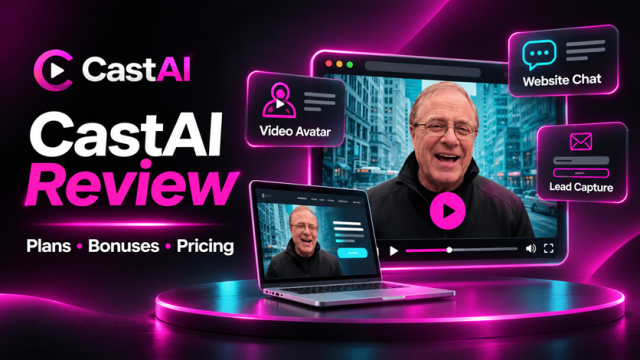
 ePlanetJReviews.com | CastAI Buyer’s Guide
One video. Two engines. A clearer look at the full CastAI offer.
Explore Recast, TalkingFaces, the vendor’s six listed bonuses, and the optional checkout upgrades—with the price and credit details set out clearly.
Recast · video transformation
The vendor demonstrates face, outfit, and style changes, object insertion, and speech edits. The listed Core plan includes 720p and 1,800 credits.
Vendor samples shown for product context. Independent review; no personal-use claim.
Two connected jobs: make a short presenter video, then place it on a page.
CastAI pairs the Recast transformation workflow with TalkingFaces website placement. The key buying question is whether those short, credit-based assets solve a specific visitor problem for you.
CastAI Review: Features, Vendor Bonuses & Upgrade Costs
What Recast and TalkingFaces are designed to do, how the credit model works, and which limits to check before buying.
Affiliate disclosure: ePlanetJReviews may earn a commission if you buy through the link, at no extra cost to you.
Vendor-provided presentation. It demonstrates the offer; it is not independent evidence of results.
CastAI review: plans, vendor bonuses, upgrade funnel & pricing
A lot of websites still greet every visitor with the same static headline, image, and button. CastAI is built around a different idea: take a video asset, adapt it into a talking presenter, then place that presenter on a website as an overlay or embedded element. The pitch is appealing because it joins two jobs that are often handled by separate tools: video transformation and on-page deployment.
The important question is not whether a talking face can attract attention. It is whether you can create a useful, accurate piece of communication, place it where it helps, and keep it within your budget and rights. This guide examines what the current CastAI sales materials describe, the credit math, the two product components, the pricing distinctions, and where the claims need a careful read. It is based on the published sales material supplied for review, not a claim that I personally tested the software.
At a glance
CastAI combines Recast, which transforms a source video into a different presenter or visual treatment, with TalkingFaces, which deploys a short presenter video on a website. The sales page positions the result as a digital spokesperson that can explain an offer, guide a visitor, answer a basic question, or point toward the next step. In practical terms, the video is pre-produced; this should not be confused with a live conversational agent that understands and answers arbitrary questions.
Core is listed at $27 one-time and Full at $37 one-time. Both list 720p; Core includes 1,800 credits, while Full includes 3,000 and adds TalkingFaces website deployment, 15 presenters, and lead-capture features. The affiliate URL supplied for this campaign leads to Full. The checkout also presents optional upgrades; the review details their stated features and billing below. Confirm current eligibility, coupon terms, and cart totals before purchase.
What CastAI is designed to do
The product concept is a pipeline. A user starts with a source clip, chooses a transformation or presenter treatment, adds or selects a script, generates a short video, and then uses the resulting asset on a page. The deployment side provides a way to show a presenter over the page or in an inline position. That makes CastAI relevant to a marketer who wants to turn a product explanation into a visible next step without building a custom video-player workflow from scratch.
The difference between this and a conventional webcam video is control over the presentation. A business can make multiple versions for different pages, offers, languages, or calls to action. That can be useful when a single recorded introduction is too broad. It also adds responsibilities: each version needs a current script, a clear owner, consent for the source material, and review of the final render. AI transformation makes production easier; it does not make the resulting message automatically true, compliant, persuasive, or rights-cleared.
How the Recast side works
Recast is described as the video-transformation engine. The source page illustrates workflows that alter the visible speaker or scene and position the transformed result for a marketing use. The advertised workflow is to upload or select a clip, choose a target treatment, provide the spoken content or script, and generate an output. The current page describes transformation clips up to 30 seconds and lists credits as the usage unit.
The credit model matters more than a headline such as ‘create any video.’ The published FAQ states 30 credits per second for transformations. On that basis, a 20-second transformed video would use 600 credits and a 30-second video would use 900, before any retries or variations. If a tier includes 1,800 credits, the arithmetic suggests capacity for two 30-second outputs, or three 20-second outputs, if all other conditions are equal. Treat that as a planning estimate from the stated rate, not a promise that every account will produce exactly that many final assets. Regenerations, edits, and current account rules can change practical capacity.
Vendor-provided product demonstration. Check current interface and tier availability before purchase.
How TalkingFaces works
TalkingFaces is the website-presentation side. A short video presenter can appear as an overlay or be placed inside a page. The live sales material describes a snippet or embed workflow and features such as CTA buttons and lead capture. In the current description, a presenter video can be up to 20 seconds, and the FAQ lists 300 credits for a website presenter video. Confirm whether the exact placement, triggers, lead tools, and embed options are included in the tier you select.
A prepared video can explain a page-specific point and invite the visitor to act. It does not become a full support desk simply because it is placed on a website. If the video says ‘book a consultation,’ the booking destination must work. If it presents an offer, the offer must remain current. If the presenter is dismissible, visitors should be able to close it without losing access to navigation or content. For a real site, test the widget on desktop and mobile, with the page’s forms, consent controls, chat tools, and checkout active.
Watch the two product engines in action
The first three clips show Recast examples; the next three show TalkingFaces placement examples. These are vendor demonstrations, not independent performance evidence or a guarantee that every result will match your assets.
Face Swap
Same script, a different presenter.
Outfit Change
Vendor example of an outfit transformation.
Style Restyle
A visual restyle example from the page.
Website Overlay
Vendor demonstration of an overlay placement.
Inline Embed
Vendor demonstration of an inline placement.
Clickable Buttons
Vendor demonstration of presenter CTA buttons.
The credit math in plain language
Credits are the most concrete constraint to understand before purchasing. At 30 credits per second, the theoretical cost of a transformation is straightforward: seconds multiplied by 30. At 300 credits per presenter video, the website presenter has a fixed listed cost per video. Examples using the published figures: a 15-second transformation is 450 credits; a 20-second one is 600; a 30-second one is 900; and a website presenter clip is 300. The first bonus in this package is a calculator so you can model planned outputs against Core or Full balances.
The math does not tell you how many polished deliverables you will get. A creator might produce a first draft, discover a pronunciation issue, generate another version, and then make a second CTA variation. Those retries consume time and potentially credits. Plan a small pilot rather than treating the full balance as production capacity. Write and approve the script first, keep clips concise, and only generate variants that answer a real audience question. Ask the vendor whether unused credits expire, whether credits carry forward, and how failed jobs or revisions are handled; the source page should be the authority for those account-specific rules.
Core versus Full
CastAI Core is listed at $27 as a one-time purchase. It includes the Recast transformation tools, 720p rendering, 1,800 credits, and a commercial-use license. The sales-page comparison describes Core as the transformation package; website deployment through TalkingFaces is positioned in Full, though the affiliate materials say a Core purchaser can add TalkingFaces through Spokesperson Pro or the Fast-Track bundle.
CastAI Full is listed at $37 one-time. It includes everything in Core, 3,000 credits, 15 AI spokespersons, the TalkingFaces website overlay, unlimited website deployments, an AI script writer that can work from a submitted URL, animated intros, in-video text and CTAs, and built-in lead capture. Both front-end plans are described as one-time purchases with a commercial license and a 30-day money-back guarantee. The affiliate link supplied for this campaign points to the Full offer, not Core. Verify all current terms on the order form.
Vendor bonus deliverables
The vendor sales page presents six bonuses alongside the front-end plans. Five are shown as the general bonus set; the sixth, the Local Business Blueprint, is expressly labeled Full-only. A nearby sales-page line says all six are included with Core or Full, so the page contradicts its own tier label. Because this campaign’s tracked link is for Full, the Blueprint is presented as a Full-tier item here; confirm the live order form before promising any vendor bonus to a buyer.
The named contents are described below as the vendor presents them. These are vendor bonuses and are separate from the ten ePlanetJReviews planning resources in this campaign. The vendor’s business-income language is a description of a suggested service model, not evidence of client results or a guarantee of recurring revenue.
| Bonus | What the sales page says it contains | Tier note |
|---|---|---|
| Ready-To-Recast Niche Video Pack | Five prerecorded videos to recreate with different presenters, outfits, products, or languages for marketing, website, advertising, or client-demo use. | Shown in general bonus list |
| CastAI Client Agency Kit | Service menu, suggested pricing sheet, client intake form, proposal template, delivery checklist, onboarding message, follow-up email templates, and outline for a client-facing PDF. | Shown in general bonus list |
| 100 CastAI Video Script Prompts | Prompts for product demos, website welcomes, webinar invitations, affiliate promotions, local offers, explainers, short ads, and client videos. | Shown in general bonus list |
| 50 Local Business Video Offers | Fifty business-specific service ideas, use cases, video angles, suggested pricing guidance, and client-benefit explanations. | Shown in general bonus list |
| CastAI 7-Step Fast Start Plan | Create a first spokesperson video; recast it; add product-in-hand content; translate a video; deploy a site presenter; create a client demo; package a service offer. | Shown in general bonus list |
| CastAI Local Business Blueprint | Prospecting, creating a personalized live website demo, presenting it to local businesses, and structuring a service offer. | Marked Full-only; nearby page copy conflicts |
Sales-page bonus visuals
These are the vendor’s own cover graphics for the six items listed above. They are not the ten independent ePlanetJReviews campaign resources.

CastAI Local Business Blueprint

Ready-To-Recast Niche Video Pack

CastAI Client Agency Kit

100 CastAI Video Script Prompts

50 Local Business Video Offers

CastAI 7-Step Fast Start Plan
Vendor-owned sales material, reproduced here for offer context. Inclusion may depend on tier and current checkout terms.
Funnel options and upgrade path
The supplied affiliate materials describe a front-end choice followed by an optional Fast-Track order bump at checkout and separate post-purchase upgrades. The upgrades are not all part of the $27 or $37 front-end purchase. Buyers should select only features they expect to use and check whether an upgrade is one-time or recurring before accepting it.
The listed standalone upgrades are CastAI Pro ($67), Spokesperson Pro ($67), Credit Max ($147 per year), and Credit Booster ($77). Fast-Track is a $197 one-time checkout bundle described as including OTOs 1, 2, and 3. The JV document does not say that Credit Max is included in Fast-Track, so treat that annual credit plan as separate unless the current checkout states otherwise.
The supplied materials conflict on Fast-Track’s reference price and credit description. The current sales-page source displays $197 with “normally $281” and says 10,000 bonus credits; the JV document says $197 with a $297 reference and describes 10,000 total credits, including 2,200 bonus credits. The review does not present either reference price or credit total as settled. The live order form is the authority.
| Offer | Price and billing | What the supplied materials list |
|---|---|---|
| CastAI Core | $27 one-time | Recast transformations, 720p, 1,800 credits, commercial license. |
| CastAI Full | $37 one-time | Core features plus TalkingFaces overlay, 15 spokespersons, unlimited deployment, URL-based script writer, animated intros, in-video CTAs, lead capture, 3,000 credits. |
| Fast-Track / Complete Bundle (checkout order bump) | $197 one-time | Bundle of OTOs 1, 2, and 3; 1080p, 300+ languages, 100+ spokespersons, upload-your-own face, Full TalkingFaces access. Credit total wording conflicts across sources. |
| OTO 1: CastAI Pro | $67 one-time | 1080p rendering, translation to 300+ languages with native lip-sync and matched voice, plus 2,400 credits. |
| OTO 2: CastAI Spokesperson Pro | $67 one-time | 100+ spokesperson library, upload your or a client’s face, plus 2,400 credits; the JV doc says this also unlocks TalkingFaces for Core buyers. |
| Credit Max | $147 per year recurring | 6,000 credits delivered each year. The supplied JV doc lists this as a recurring upgrade separate from OTOs 1–3. |
| OTO 3: CastAI Credit Booster | $77 one-time | 3,000 additional credits; JV doc says these do not expire. |
Sequence note: The affiliate document lists these items as the funnel offer set, but the exact order and availability can change. This review includes no direct OTO checkout links; use the front-end Full link and review the buyer’s own checkout.
Pricing, coupon and total-cost examples
Using the prices in the supplied materials, the three one-time OTOs total $211 when purchased separately ($67 + $67 + $77). At the documented $197 Fast-Track price, the bundle is $14 less than that standalone subtotal, before considering the recurring Credit Max plan. These are arithmetic comparisons of the supplied prices, not a claim about current availability or savings at checkout.
For illustration, Core plus Fast-Track would total $224 upfront; Full plus Fast-Track would total $234 upfront. Adding Credit Max would add $147 per year. If a buyer instead purchased all three one-time OTOs individually, the corresponding front-end totals would be $238 for Core or $248 for Full, before Credit Max. These totals assume the Fast-Track bundle replaces OTOs 1, 2, and 3, and that Credit Max is separate; confirm the actual checkout sequence and amount before accepting an offer.
The captured sales page also displays coupon code “Savings” for CastAI Full, without stating the discount amount in the supplied source. The banner’s deadline language refers to the launch period described in older materials, which has passed. Do not advertise a specific coupon value or deadline unless the live checkout confirms it.
| Path | Upfront subtotal | Recurring item, if selected |
|---|---|---|
| Core + Fast-Track | $224 | Credit Max adds $147/year |
| Full + Fast-Track | $234 | Credit Max adds $147/year |
| Core + OTOs 1, 2, and 3 separately | $238 | Credit Max adds $147/year |
| Full + OTOs 1, 2, and 3 separately | $248 | Credit Max adds $147/year |
Notes for existing account holders
The supplied JV document says existing Recast customers already have TalkingFaces in their accounts. It directs TalkingFaces-only customers to purchase Core to add Recast, after which the account should include the CastAI feature set. Existing users should confirm eligibility and account migration with vendor support before buying, so they do not pay for overlapping access.
What the sales page demonstrates
The source page includes a main presentation video and several demonstration clips showing examples of transformations and website placements. Those assets can help you understand the intended workflow better than a feature list alone. I recommend watching the demonstration with a short checklist: what was uploaded, what was changed, how long generation took, what the result looked and sounded like, where the presenter was placed, and which features appeared to require a particular tier.
A polished sample is useful evidence that a workflow can produce a sample. It is not evidence that the same result will fit every face, voice, language, site builder, offer, or audience. The page’s conversion and visitor-behavior numbers are vendor marketing claims; the source does not provide enough methodology here to treat them as a forecast for your business. Use the videos to assess the interface and output style, then judge your own result with a small test and real page metrics.
Who may find CastAI useful
Affiliate marketers and creators may use a short presenter to introduce a review, clarify a feature, or point readers toward a disclosure and CTA. The value is highest when the presenter adds context the page does not already repeat. A generic pitch pasted onto every review can make a site feel noisier without answering a buyer’s actual question. Use a video only where its message matches that offer and the surrounding text provides the full details.
E-commerce teams may test a concise product explanation, shipping note, or setup overview on a product page. Course creators may place a welcome or lesson-orientation clip near a relevant module. Agencies and freelancers may include a presenter video in a client prototype or a scoped implementation service. Local businesses may use it to explain services, opening steps, or appointment booking. These are use cases to explore, not guaranteed outcomes. Each audience still needs accurate content, appropriate consent, and a clear way to continue without watching.
Who should probably skip it
CastAI may be a poor fit if you need a live agent that can answer unplanned questions, a long-form talking-head video, high-resolution output beyond the listed tier, or a large volume of production without monitoring credits. The published limits point to short clips and finite balances, so heavy users should estimate usage and compare the total cost of upgrades or alternative production methods before committing.
It is also a questionable fit if you lack rights to the footage, plan to imitate a real person without clear authorization, or cannot review the final video for accuracy. A tool that makes transformation easy can increase the temptation to publish before checking. If a site’s audience needs sensitive advice, a regulated claim, or a detailed comparison, a short synthetic presenter may not be the right primary explanation. Keep the written content and human support path available.
Strengths worth considering
The clearest strength is that the offer brings two related jobs into one ecosystem: making a presenter-style video and deploying it on a website. That can reduce tool switching for a marketer who already wants both. The short-form limits can also be an advantage for focused messages: one point, one visitor situation, one next step. The stated credit rates make basic usage planning possible before you start.
The tier structure is relatively easy to compare at the front end, with a $10 gap between the listed Core and Full prices. Full is described as adding more credits and website presenter functions, which may be meaningful to a buyer planning an on-page deployment. The vendor also shows multiple examples rather than asking the buyer to rely only on a text promise. These are useful positives, while still requiring the buyer to verify current entitlements and test the real workflow.
Limitations and trade-offs
The main trade-off is limited output capacity. 1,800 or 3,000 credits can sound generous until you calculate the seconds, retries, and separate presenter videos needed for a real campaign. A few variations across multiple products can use a balance quickly. The 720p listing may also be limiting for some placements or production standards, and the short 20- or 30-second clip descriptions require concise scripts rather than full explanations.
The other limitation is that a presenter widget can disrupt a site if it competes with the main CTA, covers content on a phone, or appears at the wrong moment. An animated person is not automatically a better user experience. The value depends on the placement, script, dismissal behavior, load speed, and compatibility with the rest of the page. The campaign material does not establish universal platform compatibility or a measured lift for your specific business.
Privacy, rights, and responsible use
Before uploading a clip, list who appears in it, whose voice is heard, what music or logos are present, and who supplied the file. Confirm that the permission covers AI transformation, commercial use, the intended platforms, and the planned distribution. A video being publicly available does not grant permission to alter someone’s likeness or voice. For client work, get approval from a person authorized to approve both the source material and the final output.
Do not create an endorsement, customer testimonial, or result that the person did not actually give. If the message is illustrative, label it clearly. Review the final render for lip-sync problems, inaccurate claims, subtitles, product details, and a CTA that still works. Our Rights and Consent Checklist bonus includes a project record and approval gate; use it before production. This is an operational aid, not legal advice, and sensitive or unclear cases warrant qualified guidance.
A practical first workflow
Start with one page and one visitor question. Choose a page where a brief explanation could help, rather than adding a presenter to every page. Write a script that answers that question in one short segment, then include one specific next step. Verify every price, plan, and claim against a current source. Decide whether an overlay or inline placement will support the page rather than compete with it.
Next, confirm rights and prepare the final source material. Generate a first version, review it, and log any revisions. Use the credit calculator to account for the intended duration and a limited number of retries. Install the widget in a controlled environment or a low-risk page, then test with desktop and mobile widths. Check that dismissing it does not trap the visitor, that the destination is correct, and that page forms and consent controls still function. Set a baseline before deployment so later results have context.
How to evaluate results without overclaiming
Choose an outcome that the page can actually influence, such as clicks on the intended CTA, completed booking starts, or qualified inquiries. Record the time period, page version, audience source, and any concurrent changes. If you can, compare a presenter version with a control version while keeping the offer and page layout stable. A handful of views is not enough to establish a reliable lift, and an increase in plays alone does not mean more visitors understood or acted.
Review the full path. Did visitors reach the section, watch or dismiss the presenter, click the intended CTA, and complete the next step? Did mobile visitors encounter the same layout? Did support questions change? Note sample size and uncertainty. If the result is mixed, adjust one thing at a time: script, placement, trigger, or CTA. Do not copy a vendor’s general conversion statistic into your own claim. Report your own measured result only when you have reliable evidence and enough context to explain it.
Our included bonus package
This campaign adds ten independent working resources designed around practical production, placement, quality control, and client delivery. They are not represented as CastAI features, vendor products, or items included in the vendor’s checkout. The separate delivery page lists the files. The three spreadsheet tools help plan credits and costs or record variant tests; the seven guides provide checklists and workflows for permissions, website setup, presenter placement, e-commerce, quality review, localization, and client approvals.
The included stack is: (1) CastAI Credit & Output Planner, to estimate use by clip length and presenter count; (2) Video Rights & Consent Checklist, for reviewing source material and approvals; (3) Website Embed & QA Workbook, for installation, mobile behavior, CTA checks, and rollback; (4) Presenter Placement & CTA Planner, to choose overlay or inline placement and map one next step; (5) Video Variant Test Tracker, to record versions and observations; (6) E-commerce Product-Page Presenter Playbook, for product-page explanations and offer checks; (7) Service Scope & Cost Calculator, for project assumptions and client estimates; (8) Presenter Quality Review Scorecard, for accuracy, audio, visuals, accessibility, and destination review; (9) Localization Review Workflow, for language, pronunciation, captions, and current facts; and (10) Client Intake & Approval Workflow, for requirements, rights, scripts, renders, and handoff.
The bonuses complement the short-clip and website-presentation workflow. They cannot increase CastAI credits, unlock a vendor tier, grant a media license, guarantee compatibility, or replace the vendor’s support. If access depends on a purchase tier or affiliate bonus request, confirm the qualification and delivery process before checkout. The guides are practical templates, so adapt them to your tools and agreements rather than assuming that a blank form itself creates a legal approval.
Support and refund information
The sales material identifies Synthesys support and publishes a refund policy on the order funnel; one current page states a 30-day refund period. Since refund eligibility and process are controlled by the vendor and checkout terms, read the current terms before purchase and save your receipt. If you need help with account access, credits, embeds, or billing, use the support contact shown by the vendor: support@synthesys.io. Keep your transaction ID and a short description of the problem available.
This review does not promise that every technical issue will be resolved within a particular time, or that a refund will be granted in every circumstance. Ask the vendor to clarify any unanswered question before buying, especially whether credits expire, which functions belong to Core versus Full, and what happens to recurring upgrades. The official terms and the actual order form govern your purchase.
Final verdict
CastAI has a coherent use case: create short presenter videos and place them on a website without stitching together a separate transformation and deployment workflow. The listed prices are approachable for a small pilot, and Full appears more relevant than Core if you specifically want the website presenter functions described on the page. The offer is strongest for marketers, creators, and small teams who can work within short clips, finite credits, and a clear production review process.
I would decide based on one simple test: can you name the page, audience question, script, and next action for your first presenter? If yes, estimate the credits, confirm the exact tier and terms, check media permissions, and run a limited pilot. If you are buying because a sales page promises effortless conversions or because a bundle’s crossed-out price looks dramatic, pause and verify. CastAI can help create and deploy a presentation asset; the offer does not remove the work of making a useful message, respecting rights, testing the site, or measuring what visitors actually do.
A note on the vendor’s conversion claims
The sales page uses energetic language about turning visitors into buyers and cites performance figures for video and website presenters. Those figures are presented as vendor marketing context, not a forecast for every buyer. The materials supplied here do not show enough detail about study design, sample size, offer type, traffic source, baseline, or measurement window to independently assess those numbers. I therefore do not repeat them as expected outcomes.
When evaluating a product like this, separate a plausible mechanism from an established result. A presenter may make an explanation more visible; whether it changes behavior depends on the audience, page, message, placement, device, and offer. If you test it, record the before-and-after period, track a meaningful action, and avoid changing several page elements at once. A measured result from your own site can guide your next decision, but one small test still should not be presented as universal proof.
Offer details that should be rechecked later
The numbers and feature boundaries in this guide are a snapshot of the supplied materials. Vendors can revise prices, bonuses, credit balances, interface labels, accepted file types, and support processes. A later reader should treat this review as a decision framework, then compare the current page and checkout before purchasing. If the details differ, the current vendor terms and order form take priority.
The same applies to any implementation guide or spreadsheet in the bonus package. They are built around the published credit rates and short-video limits described here, but they are not connected to the vendor account and cannot automatically detect a product update. Recheck the rate and tier before planning a production batch, and update the worksheet assumptions if the vendor changes them.
Frequently asked questions
Is CastAI a live AI chatbot? The materials reviewed describe pre-produced short presenter videos and website placement. They do not establish an open-ended conversational agent that understands and answers any visitor question. Treat it as a video presenter unless the current vendor documentation confirms a specific interactive feature.
How many videos can I make? The published FAQ lists 30 credits per second for transformation and 300 credits per website presenter video. Divide the account’s current credit balance by the relevant usage rate, then reserve some capacity for revisions. The actual account balance and usage rules shown after purchase take precedence.
Does Core include every feature or bonus? No such assumption is safe. The page comparison differentiates Core and Full, and at least one listed vendor bonus is explicitly Full-only. Verify each item on the checkout before buying.
Is the bundle reference price consistent? No. The supplied live page and older affiliate material show different crossed-out reference prices. This review does not claim a particular savings amount. Check the checkout for current price and contents.
Will the presenter work on my website? The vendor materials describe embed/overlay options and mention common site platforms, but a specific theme, plugin stack, consent banner, checkout, and mobile layout still need testing. Use the embed QA bonus and retain rollback access.
Is this review based on hands-on use? No. It is an editorial analysis of the supplied sales-page materials and linked product descriptions. It does not claim personal testing, endorse unverified conversion statistics, or guarantee a result.
Product details at a glance
Core: $27 one-time listed; 720p; 1,800 credits.
Full: $37 one-time listed; 720p; 3,000 credits; expanded presenter library and website-presenter features described.
Transformation: 30 credits per second; source page describes clips up to 30 seconds.
Website presenter: 300 credits per video; source page describes clips up to 20 seconds.
Fast Track: around $197 shown on current page; comparison reference conflicts. Verify at checkout.
Sources and disclosure
Primary source: CastAI live sales page. Offer contents, credits, prices, refund terms, and feature availability can change. Confirm the order form and official terms at purchase. Vendor support listed in the supplied materials: support@synthesys.io.
This is an independent affiliate review by ePlanetJReviews.com. CastAI and Synthesys are trademarks of their respective owners. No personal-use claim, performance guarantee, or vendor endorsement is implied.