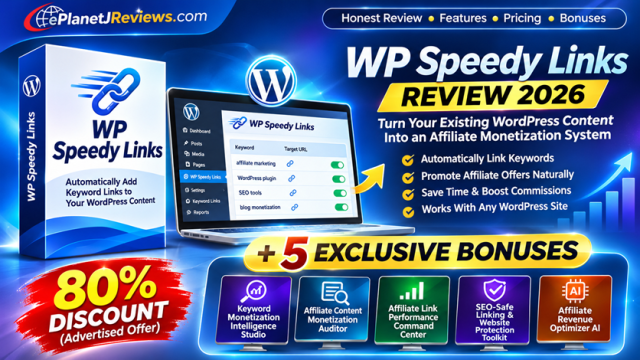
WP Speedy Links Review 2026: 80% Discount, Features & Exclusive Bonuses

Your old content.
New linking opportunities.
Discover the plugin and five exclusive tools for a smarter affiliate workflow.
WP Speedy Links Review 2026
Automate keyword linking. Plan better offers. Measure what actually works.
Affiliate disclosure: we may earn a commission from qualifying purchases.
Check $9.80 offer ↗WP Speedy Links: the quick verdict
WP Speedy Links is a WordPress plugin for turning selected keywords into links to destinations you choose. Its appeal is simple: instead of opening every old article to add the same link, you define a keyword and destination centrally. The vendor advertises editable keyword rules and use on up to five WordPress websites.
That is useful for a publisher with a substantial archive, especially when offers change. It is not a traffic generator, a keyword research service or a guarantee of sales. A link can only help if a relevant reader sees it, clicks it and finds an offer worth buying. Our verdict is that the plugin is worth investigating for established WordPress publishers who have a repeatable linking task, provided they verify compatibility and controls before deploying broadly.
What exactly is WP Speedy Links?
Think of a keyword rule as a small instruction: when the selected phrase appears in eligible content, point it to a particular URL. A publisher could use that approach for an affiliate product, a resource on their own site or a relevant social profile. The important difference from a conventional link manager is that the product is promoted as automating keyword-based placement, rather than merely storing destination URLs.
Suppose you publish tutorials about WordPress hosting. Several articles mention a hosting provider, but only your latest review includes a tracked link. A carefully selected rule could reduce the repetitive work of adding that destination to older relevant articles. The same principle applies to software tutorials, comparison posts and educational resources.
Do not interpret the vendor's speed claims as evidence that every site can be safely monetized in seconds. Configuring a rule is different from reviewing the consequences of that rule across a large archive. A responsible rollout includes relevance checks, staging, backups and inspection of actual rendered links.
How it works: official demonstration
Open the official demo directly if the embedded player is unavailable.
- Install and activate the plugin according to the vendor's instructions on a staging copy first.
- Choose a specific keyword that matches the reader's intent.
- Enter the approved destination URL, including the correct affiliate tracking information if applicable.
- Save the rule and inspect representative articles on desktop and mobile.
- Check existing links, disclosure placement, link attributes and exclusions before expanding.


The screenshots and video are vendor materials. Confirm the current interface and exact controls in your installed version; we have not verified whether every setting shown in historical artwork remains available.
Features and practical use cases
Centralized keyword rules
The JV materials describe adding and editing keyword and URL combinations. This is particularly valuable when the same phrase occurs across many posts. Start with narrow, product-specific phrases rather than broad words such as “software” or “marketing”. Broad rules can match contexts where a commercial link makes little sense.
Flexible destinations
The vendor describes linking to affiliate products, your own offers and social destinations. The useful principle is not that every destination should be commercial, but that each link should answer a reader's next question. An educational article might link to a relevant tutorial instead of a checkout. A comparison article may benefit from a product review before a purchase link.
Updating older content
When an offer becomes unavailable, a central rule may make replacement easier. Keep a separate inventory of the original destination, replacement destination, affected pages and date of change. Do not assume that replacing a rule also changes manually inserted links or cached pages. Verify the actual rendered output.
Multiple websites
The discount page advertises a license for up to five WordPress websites. That can be attractive for a small portfolio. Confirm whether staging sites count, how activation transfers work, and whether client sites are permitted before purchasing for an agency.
A practical content-to-revenue workflow
Begin with a small group of articles that already attract relevant readers. Export their visit counts from your analytics platform, then record existing affiliate clicks and commissions from your network. Use matching reporting periods. This baseline helps distinguish a link-placement problem from a traffic or offer problem.
Next, identify a few phrases that naturally relate to a product. For example, a tutorial on email automation might mention a particular platform several times. A link on the first meaningful mention may help readers find the tool. Linking every occurrence would rarely improve the experience. Review the surrounding sentence, the destination and the disclosure before creating a rule.
After deployment, compare a representative sample of pages against the baseline. If clicks rise but sales do not, inspect traffic intent, tracking, the vendor landing page and checkout. If clicks remain low, consider whether the offer is relevant, whether the link is visible and whether the article actually receives enough qualified visits to support a conclusion.
Use a controlled experiment rather than changing everything at once. Test a single CTA or a single offer on comparable content, document the dates, and avoid declaring a winner after a handful of clicks. The five bonus applications below help organize this process; they do not collect live data automatically.
Illustrative economics
Imagine 10,000 relevant monthly visits, a 3% affiliate click-through rate, a 2% click-to-sale conversion rate and $35 average commission. That produces 300 clicks, six expected sales and $210 gross commission. If click-through rises to 4% with the other assumptions unchanged, the model gives eight expected sales and $280 gross commission. These are arithmetic examples, not forecasts or evidence of product performance.
The point is to measure the entire funnel. More links do not necessarily produce more qualified clicks, and more clicks do not necessarily produce more purchases. The best improvements are those that help readers make a better decision while improving the economics of the campaign.
SEO, disclosure and website protection
Automated linking deserves the same editorial care as manually inserted links. Paid links should be appropriately qualified; Google recommends the sponsored relationship attribute for paid links, with nofollow also acceptable. A clear affiliate disclosure should be visible where readers can understand the commercial relationship before acting on a recommendation.
There is no universal safe number of affiliate links per thousand words. The right number depends on the content, relevance and reader experience. Treat density as a review signal, not a ranking formula. Avoid linking headings, navigation, code examples or already-linked text unless you have confirmed that the plugin handles those contexts correctly.
Before a large rollout, create a full file and database backup and verify that it can be restored. Test overlapping phrases, case variations, punctuation, existing anchors, mobile rendering and caching. Check whether disabling a rule reverses the change, and whether links are generated dynamically or stored in the database. These implementation details have not been independently verified for WP Speedy Links.
For a site using another automatic linking plugin, test interactions before enabling both. Duplicate rules can create confusing results. For sites with custom post types, page builders or multilingual content, confirm support with the vendor. A staging test is cheaper than repairing hundreds of affected articles.
Pricing, license and refund terms
The official special-offer page advertises an 80% discount, a five-site allowance and a 30-day refund period. The JV page describes the promotion as evergreen. Neither source establishes a specific expiration date for the current discount. The final checkout price, taxes, renewal terms and optional upgrades must be checked before payment.
Important: the latest encrypted ClickBank link supplied for this review redirected toward the vendor's main homepage during our check, not the explicitly identified discount path. We cannot confirm that this link delivers the advertised 80% discount or the six generator bonuses. Verify the actual landing page and checkout before purchasing.
Check $9.80 price and terms ↗Who should buy it — and who should wait?
Potentially a good fit
WordPress bloggers with an existing content archive, niche publishers who regularly replace offers, and affiliates who have a clear keyword-to-offer strategy. The plugin may reduce repetitive editing when the same relevant phrase appears in multiple articles.
Consider waiting
New sites with little traffic, publishers who need a full analytics platform, and anyone expecting automatic links to create sales without relevant content. Non-WordPress sites should look for a compatible alternative.
Pros
Focused use case; potentially substantial time savings for repetitive edits; flexible destination URLs; advertised five-site allowance; centralized rule editing.
Cons and unknowns
Requires WordPress; does not solve traffic acquisition; careless rules can degrade content; current compatibility, exclusion controls, link limits, rollback behavior and renewal terms need confirmation. No independent performance benchmark or hands-on test is available for this review.
Alternatives
Manual editorial linking offers maximum control and may be sufficient for a small blog. A dedicated affiliate link manager can be useful when redirect management and reporting matter more than automatic placement. Compare current features, licensing and compatibility before deciding; the right choice depends on your workflow.
Exclusive: The WordPress Affiliate Monetization Vault
Five original ePlanetJReviews.com applications, included at no additional charge for qualifying purchases through our affiliate link. These are separate local-first tools, not built-in WP Speedy Links features. Standard functionality does not require AI credentials; optional AI uses your own provider key and may incur charges.
Keyword Monetization Intelligence Studio
Score keyword opportunities, organize approved offers, plan keyword rules and model potential commissions. Optional BYOK AI.
Standalone application · HTML/JavaScript · optional local PHP AI backend
Affiliate Content Monetization Auditor
Analyze supplied article text or HTML, identify existing links and monetization gaps, match offers and export recommendations. Optional BYOK AI.
Standalone application · HTML/JavaScript · optional local PHP AI backend
Affiliate Link Performance Command Center
Maintain offer inventories, import campaign CSV data, calculate CTR, EPC and conversion, compare sources and plan replacements. Optional BYOK AI.
Standalone application · HTML/JavaScript · optional local PHP AI backend
SEO-Safe Linking & Website Protection Toolkit
Inspect rule conflicts, link attributes and density; maintain exclusions and prepare backup and rollback plans. Optional BYOK AI.
Standalone application · HTML/JavaScript · optional local PHP AI backend
Affiliate Revenue Optimizer AI
Diagnose funnel bottlenecks, compare offers, generate CTA alternatives, plan experiments and model revenue scenarios. Optional BYOK AI.
Standalone application · HTML/JavaScript · optional local PHP AI backend
Combined proposed value: $1,285. These are estimated package valuations, not established retail prices. The applications do not automatically integrate with the plugin or guarantee results.
Get WP Speedy Links + claim our vault ↗Additional vendor bonus collections
The special discount sales page lists five PLR resources: Plugins and Tools Cheat Sheet, Traffic Hacks for AI Blogs, AI Image & Visual Content Toolkit, AI-Powered SEO Mastery and The Lazy Blogger’s Handbook. Check the included license before rebranding or distributing them.
The separate vendor-generated affiliate bonus page lists the following six resources, described as delivered through the members area for purchases through its designated link. Confirm entitlement at checkout or with the vendor; do not assume all eleven vendor resources are included.

TEN Ways to Effectively Promote as an Affiliate

The Promotion Blueprint

Online Ads and Website Traffic Course

Top 51 Best Traffic Sources

Graphics MEGA Package Volume 1

Graphics MEGA Package Volume 2
How to Claim Your 5 Exclusive WP Speedy Links Bonuses
Our WordPress Affiliate Monetization Vault is delivered separately from the vendor members area. Follow these three steps to claim your five exclusive applications.
- Purchase WP Speedy Links: Purchase through our ClickBank affiliate link.
- Email your purchase confirmation: Contact cynosureinfotech@gmail.com with your full name, purchase email, ClickBank order or receipt number, purchase date and a redacted screenshot or copy of your purchase confirmation.
- Receive your bonus vault: After verification of your qualifying purchase, we will send access instructions for all five exclusive applications.
Email subject: WP Speedy Links — Exclusive Bonus Claim
Claim Your 5 Exclusive Bonuses by Email →
Do not send passwords, credit card details, API keys or other sensitive payment information. These five applications are provided independently by ePlanetJReviews.com. Vendor bonuses follow the vendor's own eligibility and delivery terms.
Bonus access is subject to purchase verification. No public download link is provided on this review page.
Frequently asked questions
Does it generate traffic?
No. It is promoted as a keyword linking plugin, not a traffic acquisition service.
Can I use it on five sites?
The special discount page advertises up to five WordPress sites. Confirm activation and staging terms.
Does it require AI?
The core plugin is not described as requiring AI. Our bonus tools have optional BYOK features.
Will it improve SEO?
No ranking outcome is guaranteed. Relevant, responsibly qualified links and good content matter.
Is the discount ending today?
No specific deadline was verified. Check the current offer.
Can I get a refund?
The special offer page advertises 30 days; check the actual checkout and retailer terms.
Are all vendor bonuses guaranteed?
No. The five PLR resources and six generator resources are advertised on different pages; verify entitlement for your purchase link.
Are the five exclusive tools WordPress plugins?
No. They are standalone local applications with manual data entry or supported imports and exports.
Final verdict: automate the repetitive work, not the judgment
WP Speedy Links addresses a narrow but real publishing problem: maintaining relevant links across existing content. If you already have a WordPress archive and a clear affiliate strategy, it may be worth evaluating. Start small, measure results and expand only when the implementation is safe. Our exclusive vault gives you a structured way to plan, audit and optimize that process.
Explore WP Speedy Links ↗Before you go…
Explore the five exclusive tools for planning, auditing and optimizing your affiliate links. Check the current offer and claim eligibility.
Check $9.80 offer ↗