GrowthBreeze Studio White Label Review 2026: Pricing, Demo, Bonus, Discount

Your brand.
Your marketing app.
What does it take to launch and run a marketing app under your own name? See the software, then explore the costs, setup and buyer bonuses.
Affiliate disclosure. ePlanetJReviews.com may earn a commission if you purchase through a link on this page. The Operator Toolkit is our campaign bonus.
The buyer’s guideGrowthBreeze Studio White Label ReviewRead the full review ↓Collapse review ↑
Explore the setup, costs, walkthroughs and ten Operator Toolkit bonuses.
Check the white-label offerWhat is GrowthBreeze Studio White Label?
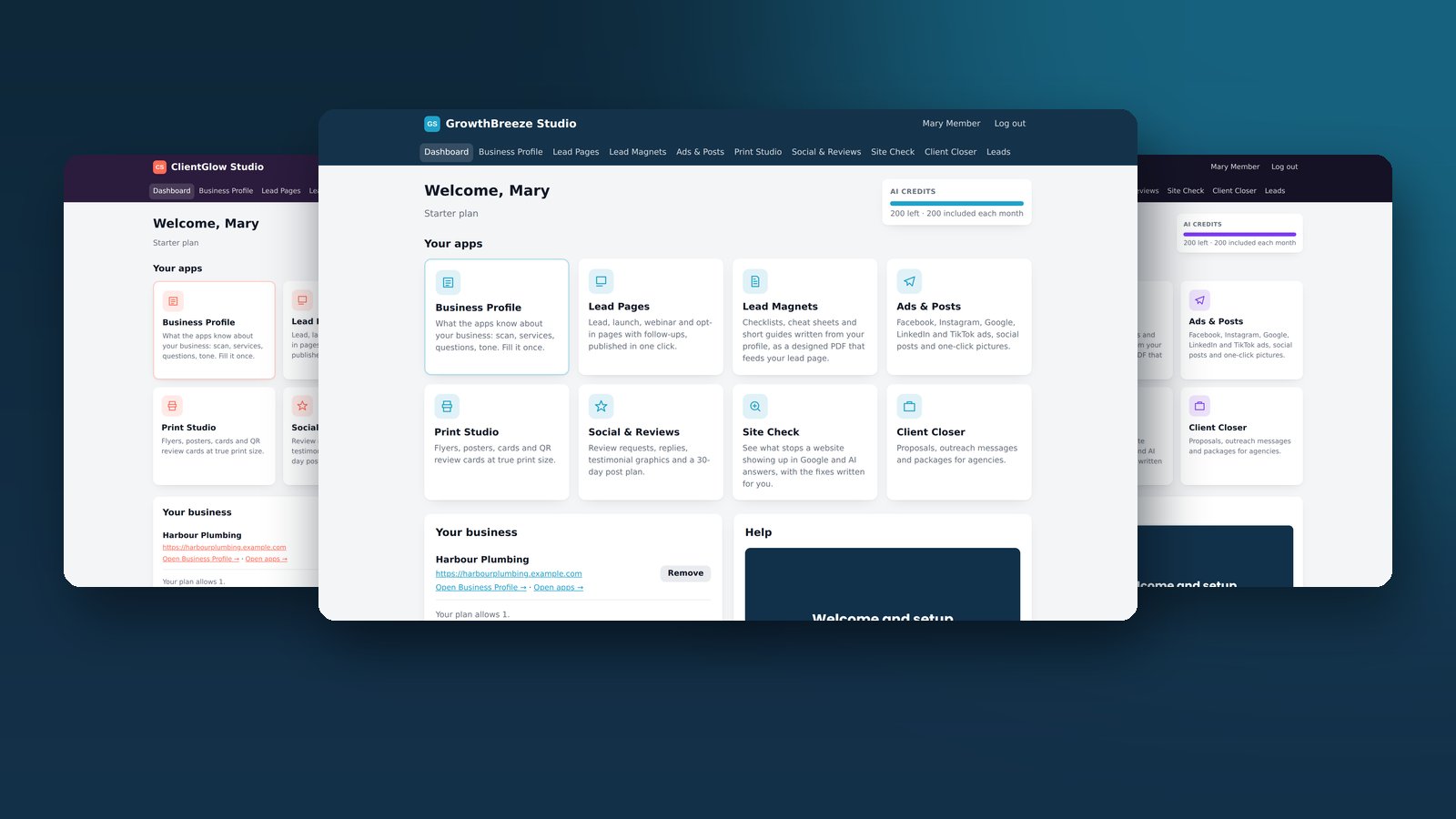
GrowthBreeze Studio White Label gives you the right to install a marketing application on your own hosting, put your brand on it and sell access under your own pricing. The package combines eight marketing tools with the administrative pieces a software seller needs, including member accounts, plans, payment connections and a sales page. The buyer’s job is to decide who the app serves, give them a reason to buy it, and run the business after the sale.
That distinction matters when you compare this offer with an ordinary marketing subscription. In this case the purchase is a license to operate an app under your name. Your customer relationship, pricing decisions and first line of support sit with you. The vendor supplies software and setup material, and says it provides support to license holders. You still need a way to reach buyers and an onboarding process that helps them produce something useful.
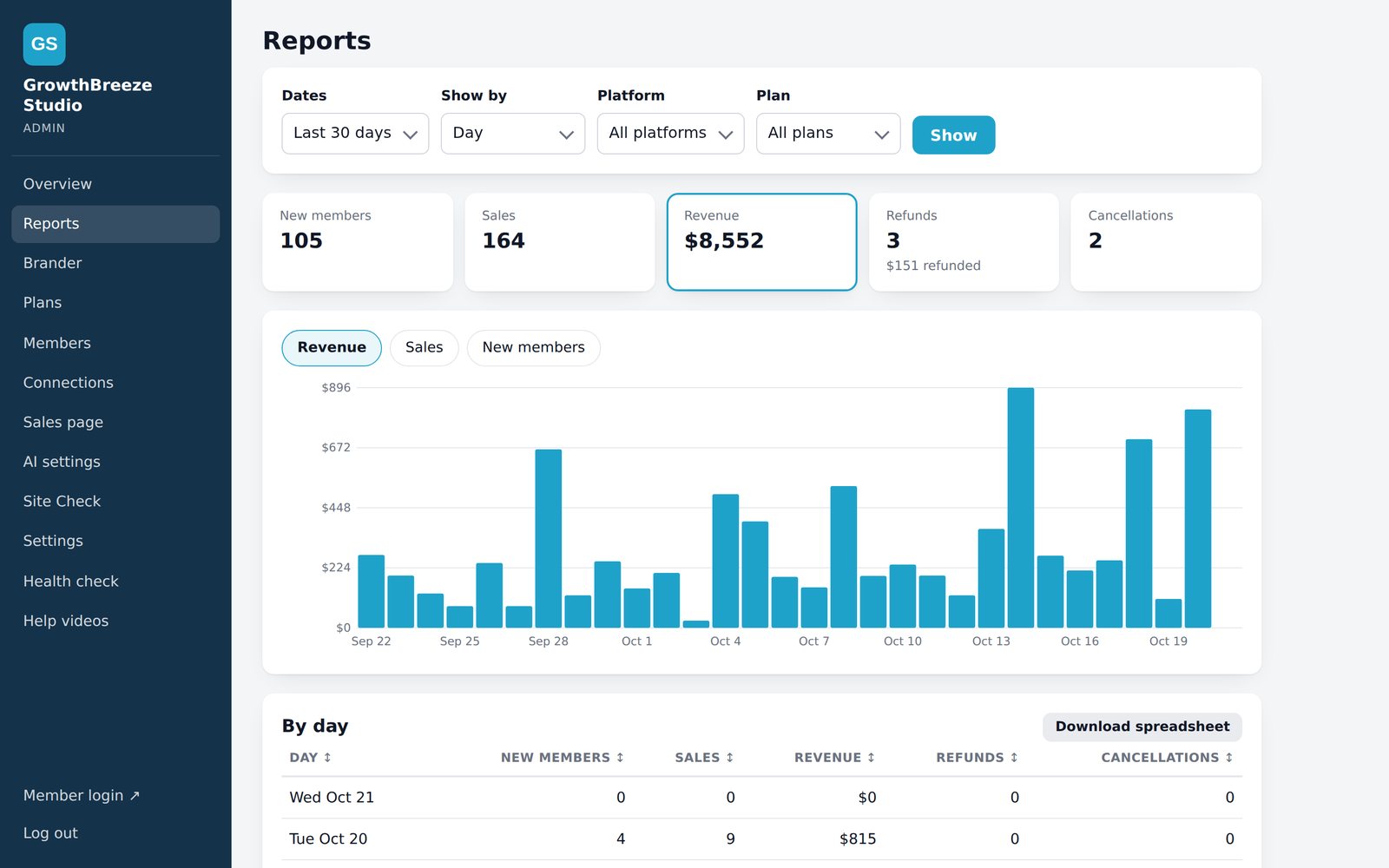
The version of the offer reviewed here is the self-hosted white-label package shown in the supplied sales-page source. The screenshots, walkthroughs and tester feedback come from that source. This review assesses the offer and what it would take to operate it. An installed instance, payment integration and generated outputs were outside the scope of this review.
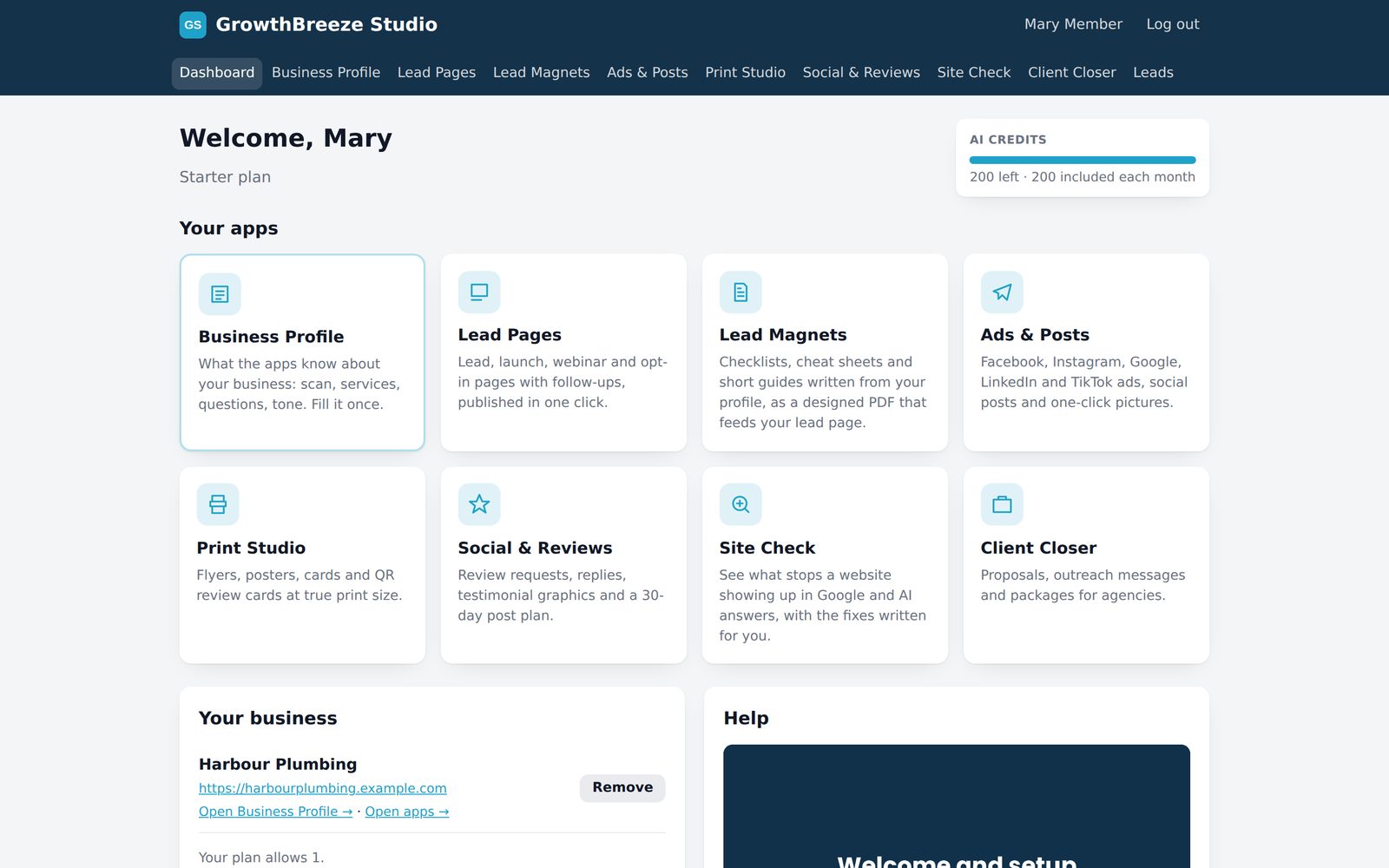
Who would actually buy access from you?
An existing consultant or agency has a clear route to testing the concept. Suppose you already work with three local businesses that need new campaign pages and social copy each month. You know the offers they run, the language they use and who signs off. A branded workspace can give those clients a consistent place to create drafts and give your team a repeatable delivery process. Start with the task they already pay to get done.
If you are launching a first product, make the offer narrower. A salon owner might care about filling weekday appointments and giving staff a quick way to put together a promotion. A consultant might care about making an audit easier to explain and handing over a clear action list. Neither pitch needs to open with the names of all eight modules. Lead with a problem the customer recognizes and show one completed workflow during the demo.
The less compelling fit is someone who wants a fully managed business. The vendor’s setup videos reduce the learning curve, but a login issue or billing question still comes to you first. If you have limited time, price the product with that responsibility in mind. A small pilot with a few people you can talk to directly gives you more information than a large launch followed by guesses about who used which feature.
How it works from installation to first customer
The vendor describes a self-hosted installation on PHP 8.1 or newer, with an installer that checks the server and creates your administrator account. Start on a dedicated subdomain so the trial can be managed independently of your main site. Have a backup and rollback plan. Before exposing checkout, review the published pages and confirm that accounts with ordinary member privileges cannot reach administrative screens.
Next, choose a brand kit or supply your own identity. Check what a buyer actually sees in the sales page, registration form, member area and welcome email. Change the demo copy to reflect your audience and remove claims you cannot support. If you offer setup as part of a subscription, make the boundary clear. A buyer should know whether they receive access only, help completing a profile, or a monthly review of what they produce.
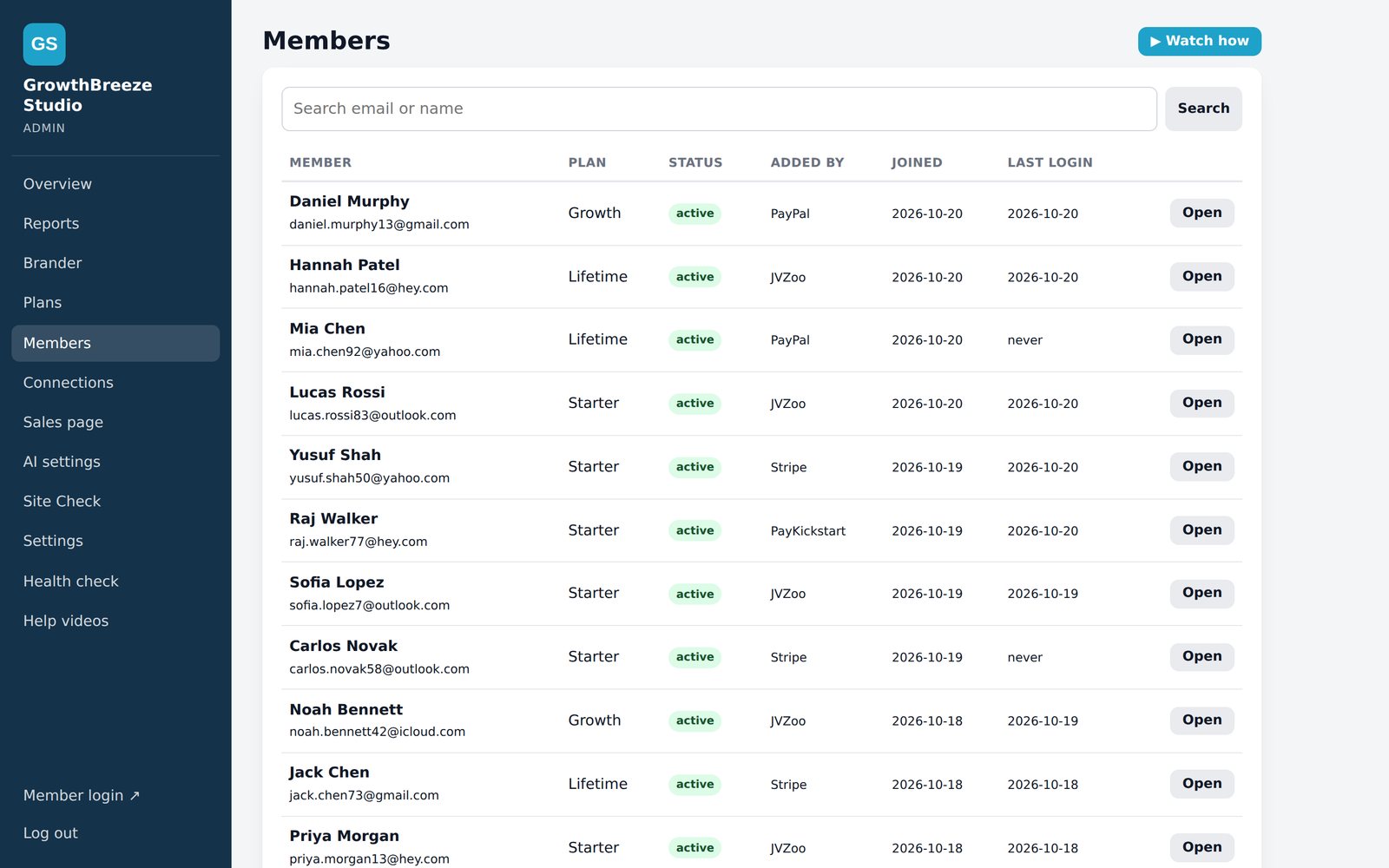
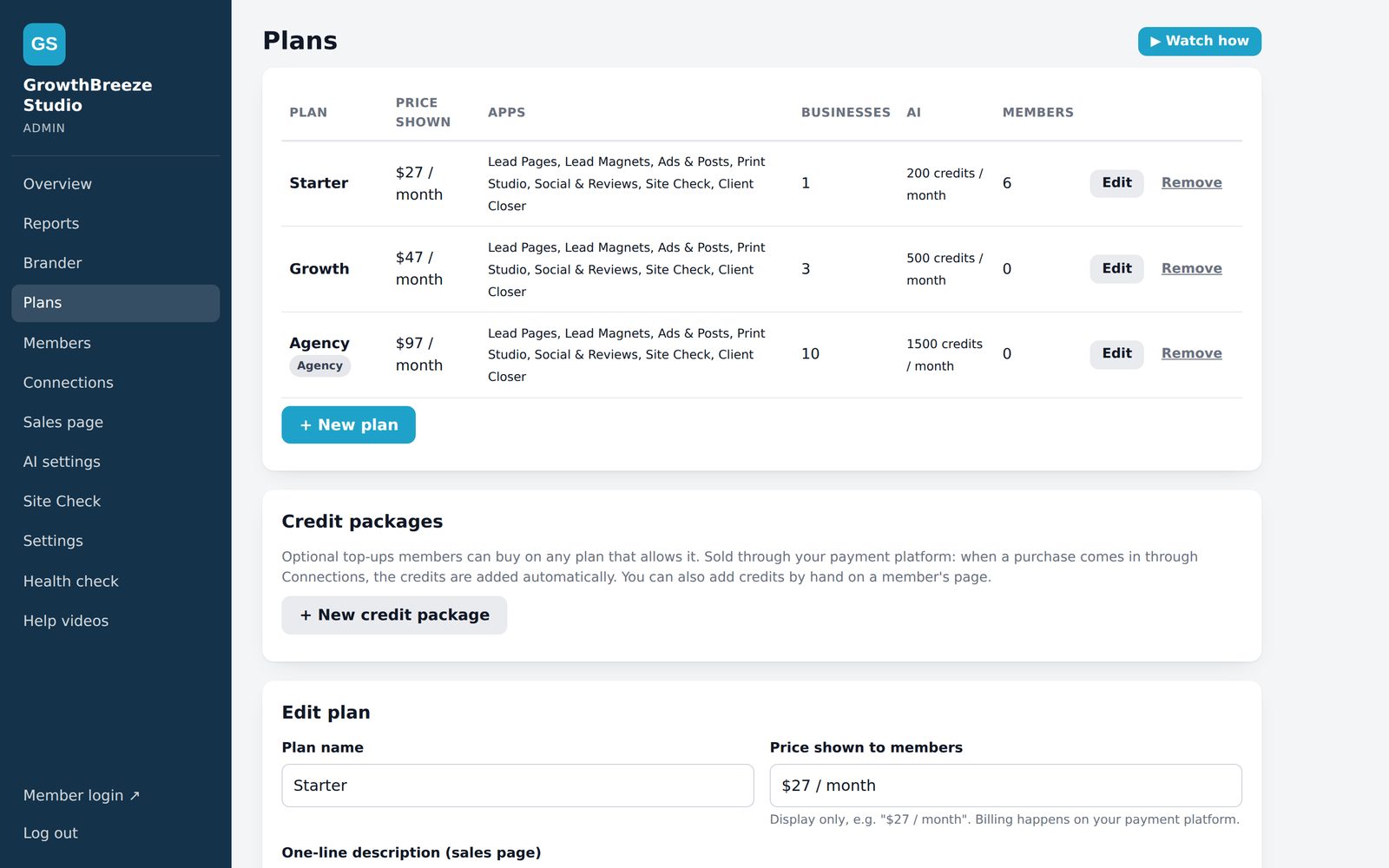
Plans and payment connections are where the install becomes a business. The vendor lists integrations with JVZoo, PayKickstart, PayPal, Stripe, WarriorPlus and ThriveCart. Pick one provider and one plan for your first test. Walk through checkout with a permitted test order, look for the welcome email, then sign in with a member account. Check that the plan shown in the member area matches the order and that the first task works.
The sales page says renewals keep members active and cancellations or refunds pause access. Confirm what each event does in your configured setup, including the timing of cancellation, duplicate notifications and a payment that does not match an existing member email. Record the order reference and what happened at each step. The result is a runbook you can use when someone contacts you after buying.
The last step is the handoff. Give the first customer one small task, a useful example and a clear person to contact if they get stuck. Ask them to finish that task while you watch. If they cannot tell what to enter in the Business Profile or where to find the output, improve the onboarding before sending more traffic. Their first successful task is a better test of readiness than the number of modules shown on the sales page.
Four short vendor walkthroughs
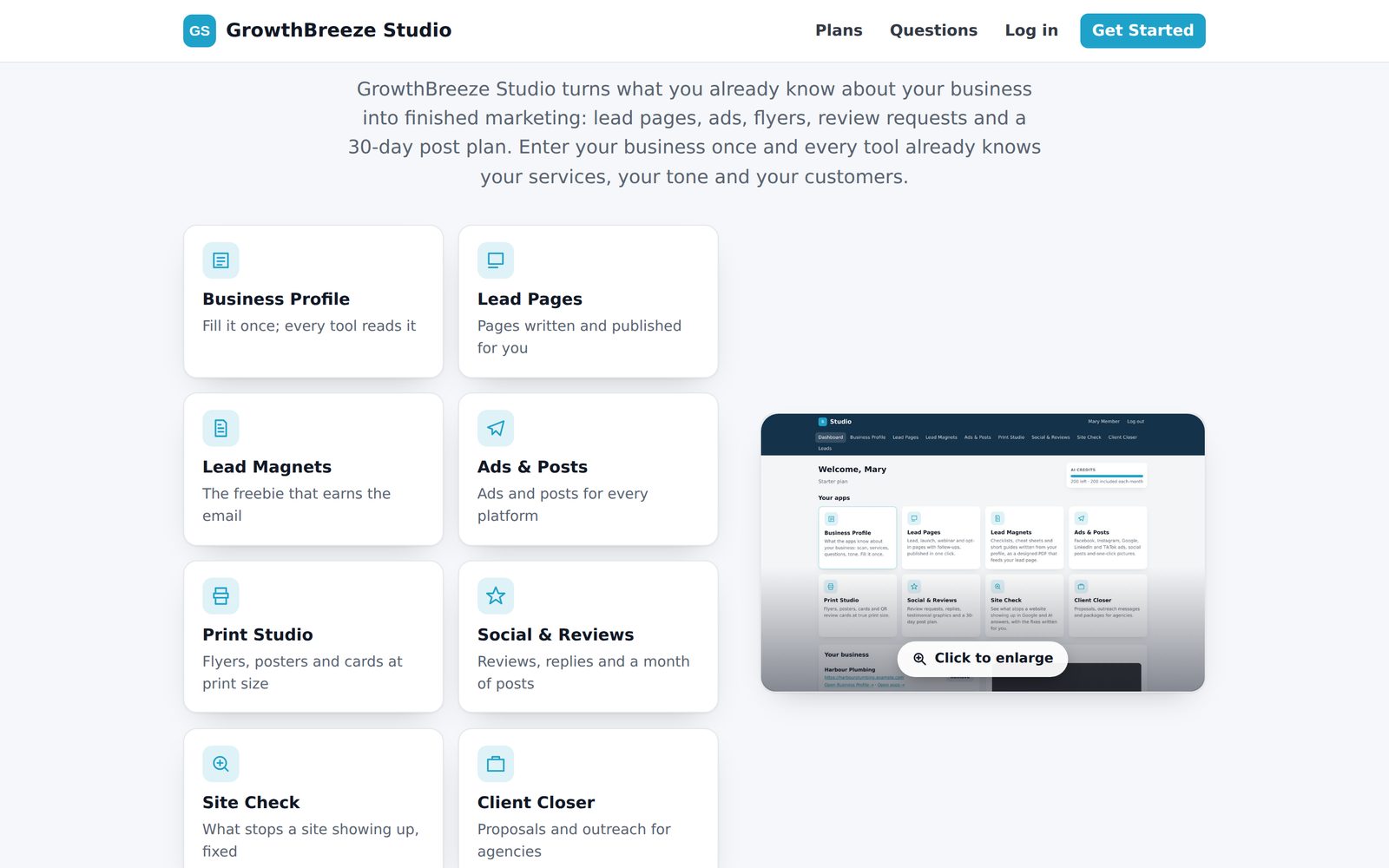
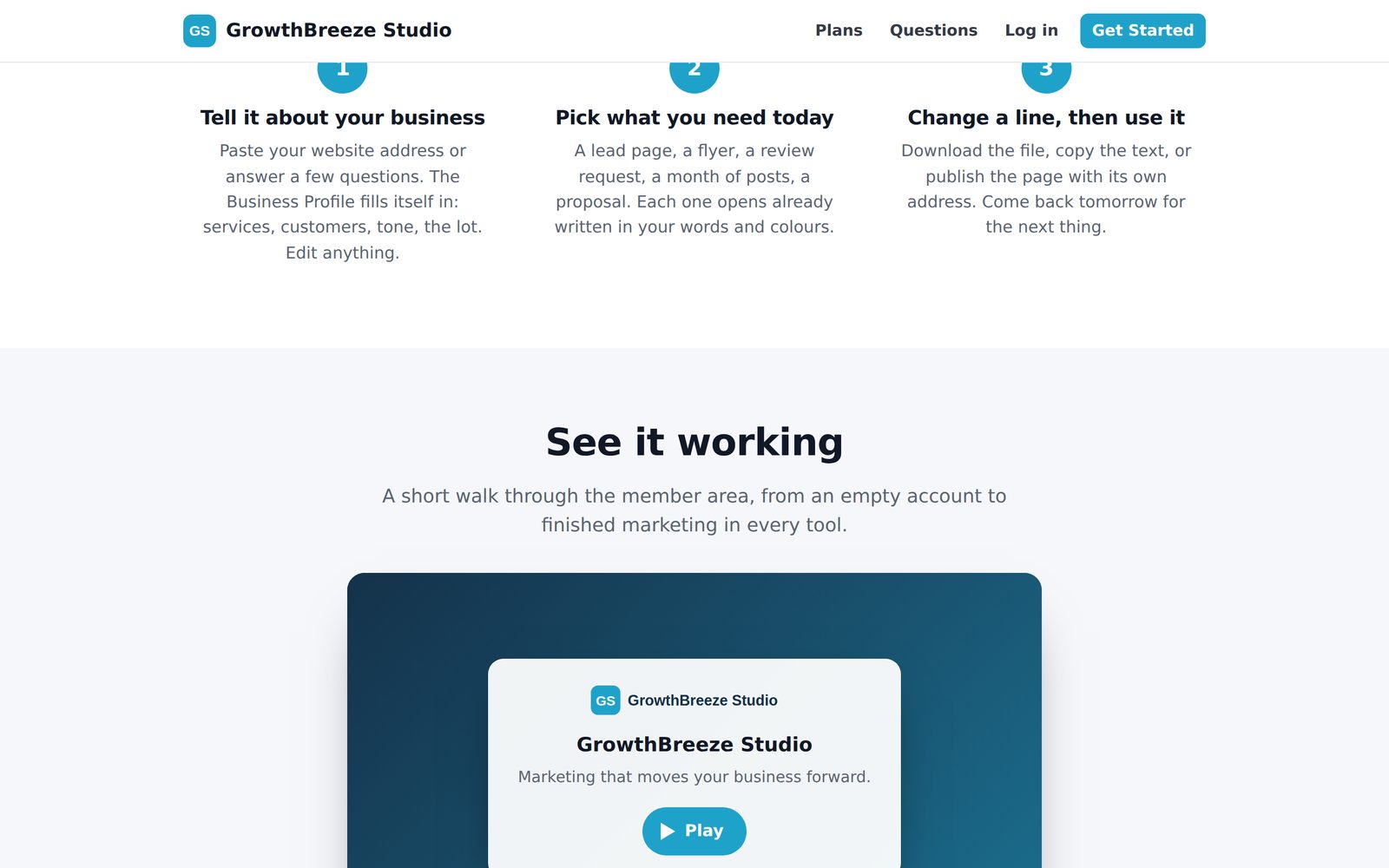
The eight tools and where they fit
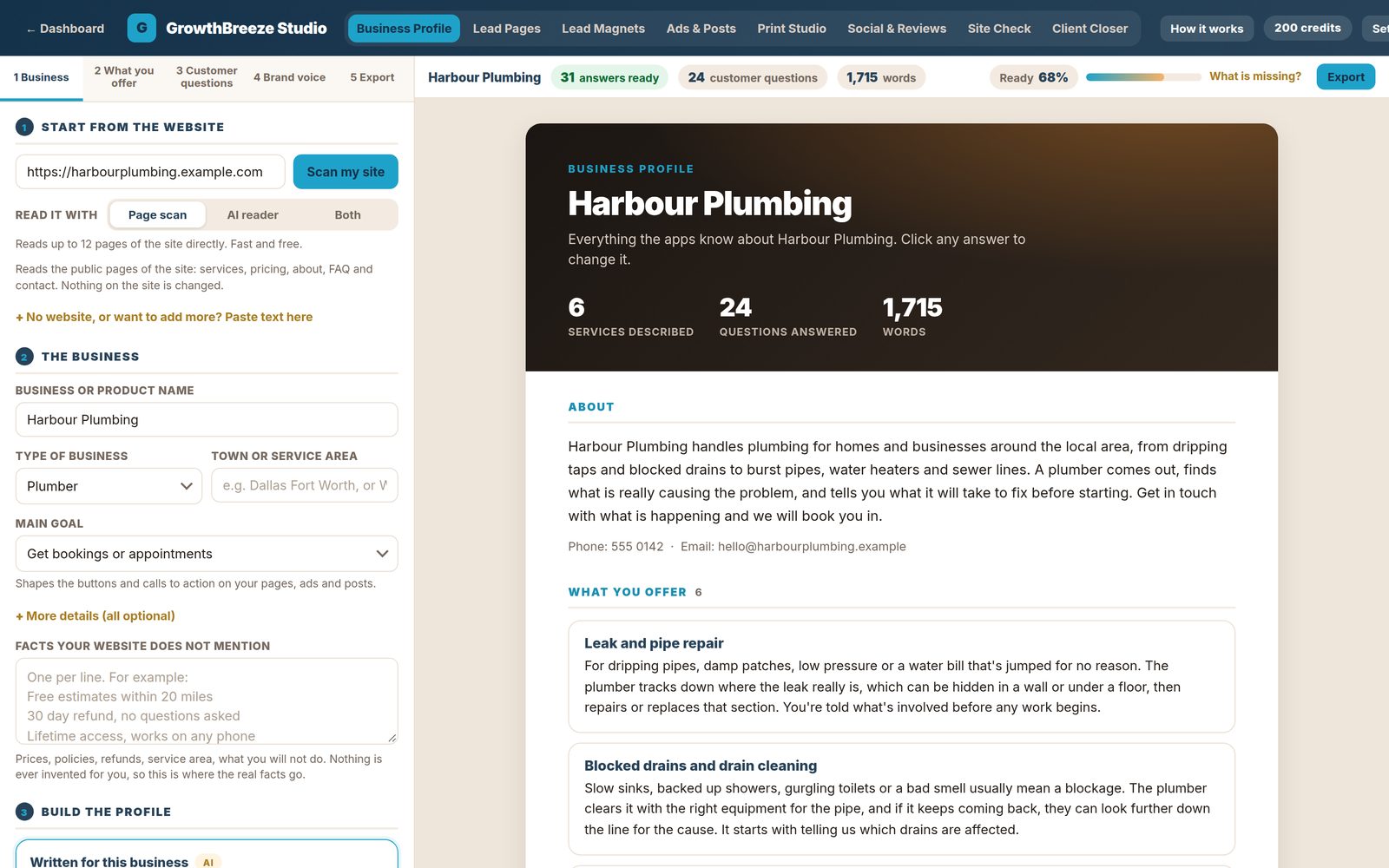
Business Profile. This is the starting point for the other tools. Set up the services, audience, facts and tone so drafts reflect a particular business. A profile for a mobile dog groomer should include where they travel, what sizes of dog they accept and how customers book. Ask the client to approve factual claims first. An incorrect price or service area can otherwise appear across several assets.
Site Check. Use the audit to start a conversation about one existing site. Look for a specific issue the owner can understand, such as a booking button that is hard to find or a page that omits the service area. Check each observation against the actual website before presenting it. A useful audit pairs a visible issue with a practical edit and an agreed way to judge whether the change helped.
Lead Pages. These are intended for turning a service or campaign into a focused page. Choose one action before generating the draft. A cleaning company might want quote requests and need a form with postcode and property size. A consultant might want call bookings. Check where the submission goes, what the customer sees after submitting and whether the follow-up reaches the intended inbox.
Lead Magnets. A downloadable resource can support the lead page when it answers a question a real prospect has before they buy. A wedding photographer might offer a shot-planning checklist rather than a generic marketing guide. Open the finished file yourself, check its mobile readability, and run through delivery. Measure whether the people who download it show any interest in the next step.
Ads & Posts. This module provides a starting point for campaign copy using the details from the business profile. Write down the offer, eligible audience and destination before producing variants. Keep terms aligned across the post and landing page. In the first campaign, change one variable at a time so you can tell whether a new opening line, offer or image made the difference.
Social & Reviews. Use this to draft social content and replies that reflect the client’s voice. Assign approval to a named person for sensitive reviews and complaints. A real response should reflect what happened and avoid exposing order or account details. For social content, track which posts led to questions or enquiries so the next batch builds on actual conversations.
Print Studio. This brings physical materials into the workflow. A service business can use printed materials to point customers to a booking page, an offer or an online resource. Proof the layout at its final size and test any QR code from the printed piece before ordering a larger run. A trackable destination makes it easier to separate those visits from email and social traffic.
Client Closer. Use this for the transition from initial conversation to a concrete proposal. Before drafting, agree on the client’s problem, what you will deliver and who approves it. A good proposal tells the customer what happens after they say yes. Include the work they must do, the expected turnaround and any work outside the price so the first month starts with shared expectations.
What the sales-page and brand samples tell you
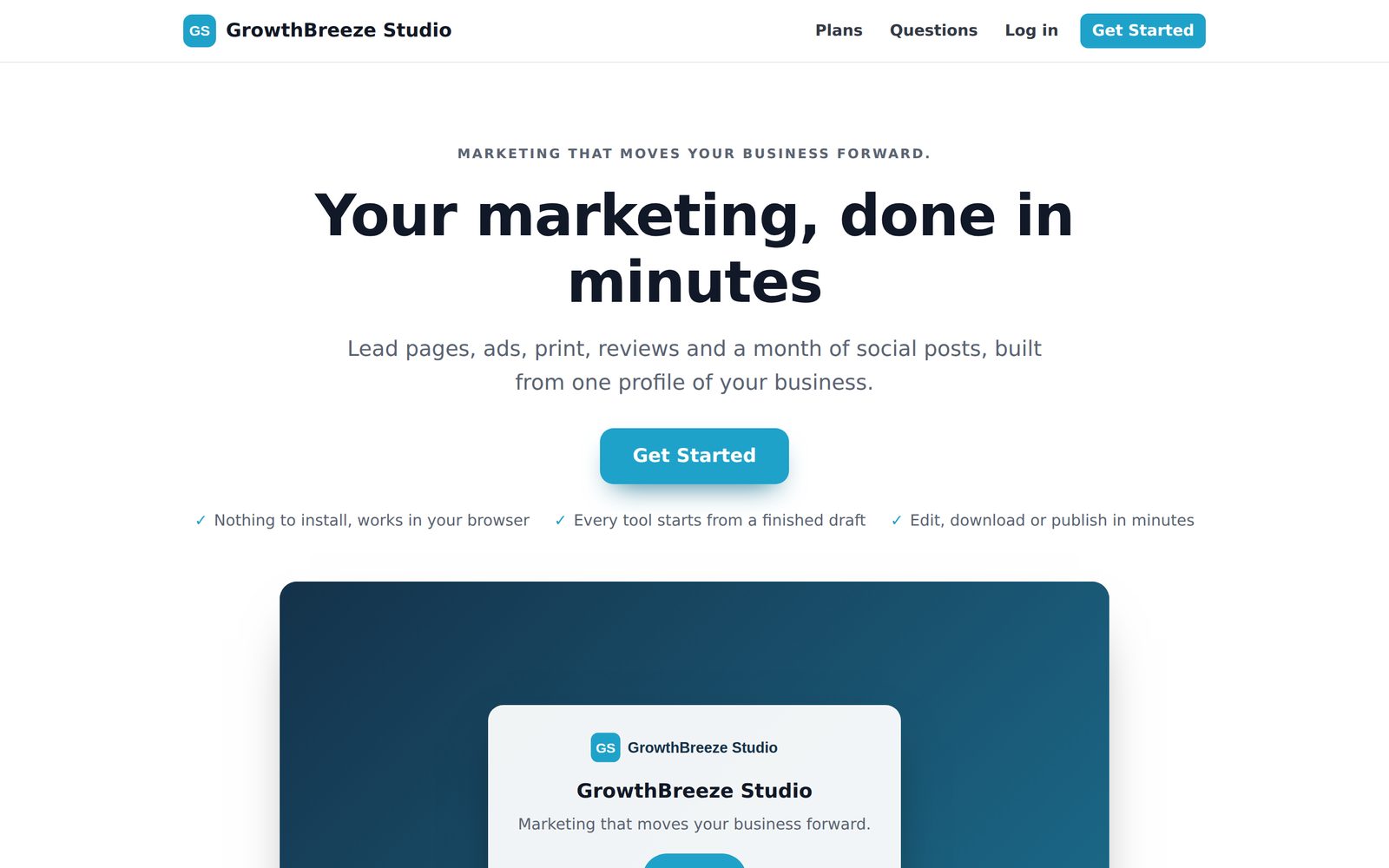
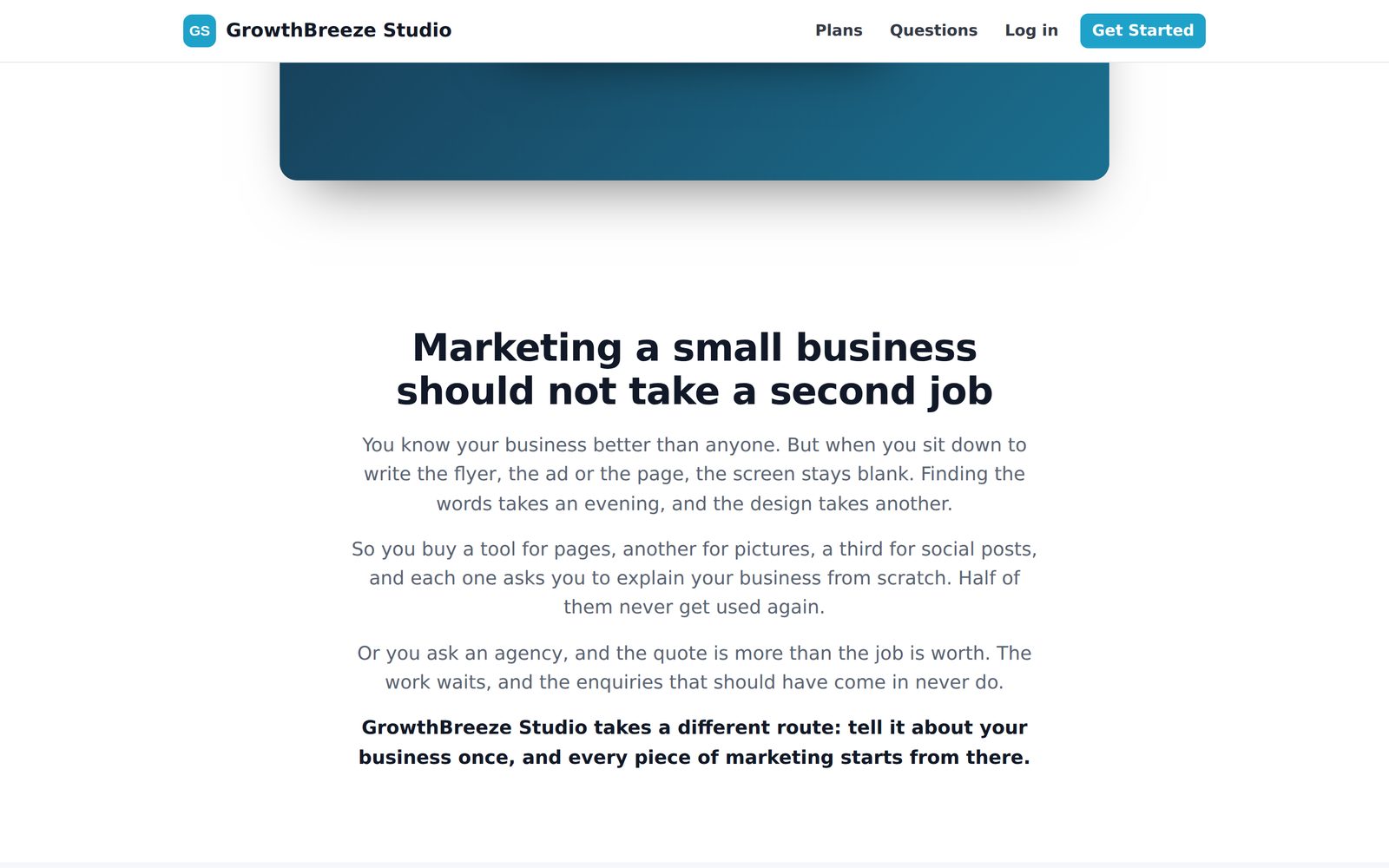
The vendor shows several sales-page designs and brand kits. These samples are useful for judging whether the presentation can support your own offer. Compare the hero headline, the first example, the pricing section and the language the page uses to explain what happens after purchase. Those are the parts your buyer will rely on when deciding whether to sign up.
Treat a kit as an initial design. If you choose a local-business audience, build your page around a use case you can actually show, such as creating a service page and a matching flyer from a single profile. A broad statement about marketing automation is harder to evaluate than a short screen recording with the input, the output and the customer’s next action.
Use the sample sales page to identify the questions you need to answer in your version. Does the price include help with setup? How much AI usage is included? Can the customer cancel themselves? Where should they ask for help? Write your answers before the first payment. The landing page, receipt and welcome email should all describe the same offer.
Pricing, optional add-on and operating costs
The supplied vendor page advertises a $67 one-time launch price with WL130, against a $197 stated post-launch price. Check the price displayed at checkout before buying. The price quoted for the license is separate from hosting and any AI usage you choose to provide. The vendor says the tools can work without AI, with AI features available using your own key. It also states that sales are final. Review the full license and the checkout terms, especially if you plan to transfer a business or give multiple customers administrative access.
The vendor lists one optional Marketing Kit at $27 during launch and $47 regularly. It adds prepared ads, emails, social posts, blog posts and pins, along with creation tools inside the admin area. That may suit a buyer who knows their audience and needs material to adapt. The base license is the part that lets you install and operate the app. A separate bundle price and destination were not supplied, so this comparison uses the documented license and optional add-on.
| Purchase | Advertised pricing | What it adds |
|---|---|---|
| White-label license | $67 launch with WL130; $197 stated later | Self-hosted app, licensing, admin and vendor assets |
| Optional Marketing Kit | $27 launch; $47 regular | Additional marketing materials and makers |
If you plan to charge a monthly fee, build your budget from what serving a customer will cost. Separate fixed hosting from costs that scale with users, such as processing fees, AI usage and support time. Include the time spent answering login questions and editing outputs. A plan that looks profitable before support can become expensive if customers need repeated one-to-one help.
For illustration, a $29 monthly plan with $1.20 in processing, $2 in usage and $7.50 in support contributes $18.30 before fixed costs. If fixed costs are $50 per month, that requires three active customers to cover them, before taxes and refunds. These are example inputs, not vendor prices or projected results. Change them to reflect your own service and how much support you intend to include.
What buyers receive from the vendor
The sales page shows setup videos for the owner, help videos for members and a brand-free sales video and demo. There are three guides intended for the buyer-facing package and four reports on advertising. The material gives you examples and answers you can refer customers to while you develop your own support process. The vendor also describes Live Ad Vault as a launch-only bonus. Confirm its availability at purchase.
The guide and report covers below belong to the vendor package. They are separate from the ePlanetJReviews Operator Toolkit described later. That distinction makes it easier for a buyer to see what comes with the license and what they receive from this campaign.




What the vendor's testers highlighted
Praised the integrated admin area and analytics.
Gabriel Perez · Beta tester · Vendor-supplied feedback, summarized
Described using Site Check on a salon website and finding keyword ideas worth investigating.
Janice Walker · Beta tester · Vendor-supplied feedback, summarized
Highlighted how the tools reuse information from the shared business profile.
Mark D · Beta tester · Vendor-supplied feedback, summarized
Found the connection between the lead magnet and capture page useful in his evaluation.
Trevor Krieger · Beta tester · Vendor-supplied feedback, summarized
The vendor’s testers describe specific workflows worth checking in the demo. Look at whether the admin panel gives you the account information you need, how a shared profile feeds a draft, and how easily a lead magnet connects with a capture page. These are practical checks you can repeat during a trial installation with your own example business.
The ten ePlanetJReviews bonuses and how to use them
The GrowthBreeze Operator Toolkit groups ten browser tools in one downloadable file. Each accepts your inputs and produces an editable report you can download. The tools work alongside the app using information you enter. Start with the output you need for the next decision, then bring the relevant result into your own setup or customer process.
01 · Max — Chief Growth Officer
When demos are happening but sales are lagging, enter the number of prospects contacted, demos and sales from the same cohort. Add the recurring objection and the outcome you can demonstrate. Max compares the observed rates with targets you enter, suggests one stage to investigate and drafts a pitch for a small follow-up test. Use the same offer and audience for the next cohort so you can compare the affected stage. Treat a few conversations as a signal to investigate and keep the original objection in the report.
02 · White-Label Launch QA Console
Run through checkout, account creation, welcome email, renewal, cancellation and refund with your own test records. Mark each check pass, fail or pending and note what you saw. Download the report and keep it with your launch notes. If account creation passes but mail fails, you have a narrower issue to investigate than “checkout is broken.” A test that is unavailable with your provider can remain pending with the reason recorded. Repeat the check after changing the plan or payment configuration.
03 · Pricing & Margin Simulator
Compare two monthly prices at the same customer count. Enter your fixed expenses, payment fees, AI cost and support time per customer. The report separates revenue from contribution and estimates how many active subscribers are needed to cover fixed costs. Use it before including unlimited support in an entry plan. You can change a single assumption, such as the time needed to help new users, and see how the decision changes. Replace estimates with observed costs once your first customers have completed a billing cycle.
04 · Niche Offer Builder
Give the tool a recurring customer problem, a monthly price and the work you will deliver. Set out who approves drafts and which tasks the customer owns. The result is a proposal you can edit and discuss in a call. For example, a salon package could include four draft promotions and one booking page review, with publishing handled by the owner. Clear boundaries make it easier to tell whether the customer values the software, your help or the combination. Use that feedback to adjust the next proposal.
05 · Live Demo Builder
Choose a prospect and one desired outcome, such as getting more enquiries for a service with spare capacity. Add the approved business facts and select a workflow. The run sheet tells you what to prepare, what to show in the demo and what to leave with the prospect. Walk through a single realistic task so the customer can judge the result with their own information. Record a specific follow-up, such as sending the revised draft on Thursday after the prospect confirms their service terms.
06 · Client Onboarding Pack Generator
Collect services, service area, audience, brand voice, approved assets and the person responsible for approval. The output gives you a client intake checklist and a brief for the GrowthBreeze Business Profile. Confirm the brief before using it to generate several assets. When a customer updates a service or stops covering a location, update the profile and check existing drafts for the old information. Starting from one agreed record keeps a landing page, promotion and printed piece aligned with what the business can actually deliver.
07 · AI Usage & Credit Planner
Enter an estimated token count for one task, the rates you pay and the number of jobs you expect per customer. Add a buffer and a monthly AI budget. The planner estimates the cost per task, total cost and the number of tasks the budget covers. Model a typical short task and a longer task separately if you sell both in the same plan. Compare the estimates with actual usage before promising a recurring allowance or deciding how much to charge for additional capacity.
08 · Support Desk Playbook Builder
Use the playbooks for missing logins, failed payments, credit limits and branding issues. Search the categories, add case context and get troubleshooting steps, an editable reply and a threshold for escalation. For a paid order with no welcome email, confirm the order and member records before assuming the message was sent. Save useful timestamps and redacted references so a vendor can reproduce the issue if you need help. The reply gives the customer a clear next step while you investigate.
09 · Member Activation & Retention Tracker
Enter a list of members with join dates, login and first task status, last activity and renewal date. The tool flags new users who have not logged in, people who stalled before finishing a task and accounts due for review. Follow up based on the obstacle. Someone who cannot sign in needs a different message from a member who can sign in but has not completed their first campaign. Check billing status before using a renewal reminder. Use aliases if you do not need customer names in the file.
10 · Client Results Report Builder
Record what you created, what the client approved and published, and a metric measured over two comparable periods. Add the measurement source and caveats, then assign a next action. The report separates work completed from changes you observed. If tracked enquiries rose from eight to eleven after a page update, you can report the increase and still account for a promotion or seasonality. Give the client one action they can approve for the next month, so the review leads to a decision.
Where the offer is strongest and where to be careful
The strongest part of the offer is the combination of a ready-made app and the business operations around it. A consultant who already has clients can spend more of the launch effort on audience fit and onboarding. The vendor’s sample pages and tutorial videos show concrete screens a buyer can inspect before purchase.
The main tradeoff is that your brand is on the product and you own the relationship. Hosting, software updates, access issues, AI cost and customer questions become things you manage. Check the terms for how updates are delivered and what happens to an installed copy if you need to move hosts. Make sure you can restore the site and recover account data before you rely on it for paying customers.
Another question is differentiation. Buyers of the same license can start from similar tools and brand kits. Your strongest reason for a customer to choose you is an offer that solves their particular problem, with examples they recognize and a level of help they value. Test that offer in conversation before spending heavily on branding or ads.
Questions to settle before purchase
Can I sell access under my own name? The vendor describes white-label resale of access under your own brand and pricing. Read the license before making promises about sublicensing, transfers or giving customers the underlying software.
Will the app work on my hosting? The vendor lists PHP 8.1 or newer and an installer that checks the server. Confirm the PHP version and any installer requirements on the exact domain or subdomain you intend to use. Test a new member login, email delivery and a full backup restore in that environment.
Do my customers need their own AI keys? The page describes an owner-supplied key for optional AI features. Check the configuration for how access, usage and plan allowances are enforced. Start with one task and measure it under realistic inputs before including a generous allowance in your plan.
Can the toolkit create customer accounts or send emails? The Operator Toolkit gives you drafts, calculations and checklists based on your entries. Use the licensed app and your connected provider to manage accounts and send transactional messages. For launch QA, record what you actually observed for each supported event.
Should I get the Marketing Kit? Consider it if your audience and plan are already defined and you need examples to adapt. If your biggest uncertainty is whether buyers want the offer, use the base software to test one workflow with a small group first. You can judge the add-on by the specific campaign work it saves.
A practical first-week acceptance test
Choose a client example that represents the work you intend to sell. Create its profile, draft a page and matching promotion, then review both with someone who knows the business. Record how long each step took and which facts needed correction. If you plan to include setup in your subscription, use that timing when estimating support costs. If you plan to sell access alone, ask your test user to repeat the process without coaching and record where they need clearer instructions.
Verdict
GrowthBreeze Studio White Label is most relevant to an agency, consultant or software seller who can name a customer segment and demonstrate a recurring workflow those customers would use. The package gives you a head start on the app, member area and sales infrastructure. Your offer, onboarding and support determine what the experience feels like for a paying customer.
Before committing, watch the admin and member walkthroughs, compare your hosting with the requirements and read the license. If the terms fit your business, define one plan and test the full payment-to-first-task journey before opening it to a wider audience. Use the toolkit’s pricing simulator and launch QA console to document those first decisions.
Check the license, pricing and current availability
Check the white-label offer