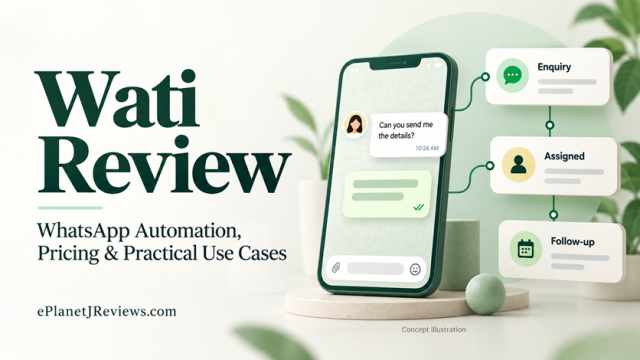
Wati Review 2026: WhatsApp Automation, Pricing & Who It Suits
ePlanetJReviews · Research-based buyer guide
Getting WhatsApp enquiries is only half the job.
This Wati review examines what happens next: ownership, automation, human follow-up and the real cost of keeping conversations organised.
By Team ePlanetJReviews.com · Research checked 31 October 2026 · No paid-account testing
Check Wati plans and trial options →Wati review: the short answer
Wati is worth evaluating when WhatsApp has become a shared business workload: several people handle enquiries, customers repeat the same questions, and follow-ups disappear between shifts. Its strongest potential benefit is giving those conversations a more deliberate process. The subscription makes less sense when you receive only a handful of messages and one person can comfortably answer them.
The buying decision should start with a specific operational problem. Do you need clearer ownership of enquiries? A better way to collect initial information? More consistent follow-up? Choose one. Buying a large automation platform before identifying the bottleneck can turn a small communication problem into an expensive implementation project.
Our recommendation is conditional: shortlist Wati if you already have meaningful customer conversations to manage, then test one complete enquiry journey before committing. Judge it on successful handovers, useful answers and total operating cost. A busy dashboard or an impressive chatbot demonstration is not sufficient evidence that it fits your business.
What is Wati, in plain English?
Wati is a business messaging platform built around managing customer communication, including WhatsApp. Its published product offering includes a shared inbox, automation and chatbot capabilities. The relevant question is how those pieces fit your actual sales or support process, rather than how many features appear on a page. S1
Think about the difference between receiving a message and managing an enquiry. A message says, “How much does this cost?” A managed enquiry has context: which service the person wants, who should answer, what information is missing and what happens next. That second layer is where a business messaging system can become useful.
This does not mean every conversation needs a bot. A valuable system can simply help a real person respond with the right information and avoid asking a customer to repeat their situation. For a small team, reducing that confusion may matter more than building an elaborate automated sales sequence.
Wati should therefore be evaluated as part of your customer operations. Your website, salespeople, service delivery and internal records still matter. Connecting them requires decisions about responsibilities and information, even when individual software features are described as no-code.
How this review was researched
This is a research-based review by Team ePlanetJReviews.com, checked on 31 October 2026. We reviewed Wati’s public pricing, shared inbox, chatbot, automation, Coexistence and terms pages. We have not operated a paid Wati account, measured its delivery rates or tested its integrations with a live business.
That distinction matters. Public documentation can establish what a vendor advertises and reveal important buying questions. It cannot establish how quickly your team will learn the software, how reliably your particular workflow will run, or how much additional revenue you will earn.
Examples below are proposed evaluation scenarios, not customer case studies. We do not assign a numerical score or reproduce vendor success stories as proof of typical results. Where public pages appear inconsistent, we explain the issue rather than choosing the more appealing claim. Before purchase, ask Wati to confirm the requirements relevant to your account and retain the response.
The problem is often what happens after someone messages you
Imagine a small service business receiving enquiries while its staff are busy delivering work. One customer asks about availability. Another sends a photograph and requests a quote. A third returns two days later, but a different staff member answers without knowing what was discussed. Nothing about this situation requires thousands of contacts to become frustrating.
The immediate problem is uncertainty. The customer does not know when to expect an answer. The employee does not know whether someone else is dealing with the enquiry. The owner cannot tell whether a quiet inbox means everything is resolved or whether opportunities have simply gone stale.
Before selecting software, review a sample of recent conversations. Look for duplicated questions, missing ownership, unclear next steps and messages that stopped without resolution. Record the recurring failure, rather than assuming that a low sales figure must be caused by slow replies.
Sometimes the answer is a better price explanation, a clearer booking page or a stronger offer. Automation will not repair those issues by itself. A messaging platform becomes more relevant when the offer works reasonably well but the handling process repeatedly breaks down.
Shared inbox: evaluate the handover, not just the interface
Wati’s inbox documentation describes assigning chats to users, organising teams and tagging contacts. Those are practical building blocks for coordinated communication. They are especially worth examining when enquiries move between sales, support and the person responsible for delivery. S2
The most useful trial exercise is a handover. Have one employee receive an enquiry, collect the basic details and pass it to another employee. Ask the second person to continue without privately asking the first person what happened. If the context is unclear, investigate whether the problem is configuration, missing information or team habits.
Create a simple ownership rule before starting. Every open conversation should have a responsible person or an explicitly monitored queue. “Everyone can see it” is not the same as “someone will deal with it.” Shared visibility without ownership can reproduce the same confusion on a larger screen.
Also test a difficult moment: a customer replies after the original employee has finished work. Decide who sees that reply, who is expected to act and how the next person knows what was promised. These ordinary situations reveal more about operational fit than a demonstration using perfectly organised sample conversations.
Chatbots and AI: start with a useful, short conversation
Wati advertises a no-code chatbot builder and a library of starting points for workflows. That makes structured conversations part of the evaluation, but no-code does not remove the need to design sensible questions. A confusing process remains confusing when it is presented inside a chat. S3
A good first automation should reduce repetition without withholding help. For example, a visitor seeking a service might choose the service category, share their location and indicate a preferred time. The next step should be clear: a staff member will review the details, or the person can request human assistance.
Avoid asking for everything you might eventually need. A long questionnaire can make an interested person abandon the conversation before you understand their problem. Start with the information required to route the enquiry, then let the appropriate person ask more detailed questions.
Treat any AI-generated answer as something that needs boundaries and testing. Use realistic questions involving unclear wording, outdated information and requests the business cannot fulfil. Decide which answers require a human decision. In particular, do not allow an automated response to invent availability, discounts or promises that your team cannot honour.
The best result is often modest: customers receive a useful acknowledgement, the team gets cleaner context, and complicated situations reach a real person sooner. That is a stronger starting objective than replacing an entire sales or support role.
A practical enquiry workflow to test
The following example is an illustrative setup for a small website design business. It is a process proposal, not a claim that every step is included in every Wati plan. Confirm the necessary capabilities and integrations before building it.
Step one: make the entry point specific. A website button could invite visitors to ask about a redesign, rather than presenting an unexplained chat icon. The person should understand why starting a conversation is useful. Keep an alternative contact option for customers who prefer another channel.
Step two: acknowledge the request accurately. A suitable message explains that the enquiry has arrived and states the genuine response window. Avoid “We are reviewing your website now” if nobody is doing that. An honest acknowledgement is more useful than an artificial impression of constant human availability.
Step three: ask a small number of routing questions. In this example, the website address, type of business and main concern may be enough. Asking whether the priority is mobile usability, clearer enquiries or a complete redesign helps the team prepare a relevant first response.
Step four: assign the conversation. Decide who reviews new requests and what happens when that person is unavailable. Include an explicit path for an existing client with an urgent issue, so a sales enquiry sequence does not delay support.
Step five: make the human reply specific. Refer to the problem the person described and explain the next action. That might be a request for a short call, clarification of scope or an explanation that the business is not a suitable fit. Do not send an unrelated generic pitch just because the person entered a messaging funnel.
Step six: close the loop. Record whether the enquiry became a meeting, a proposal, a completed job or a declined request. A conversation that ends without a clear status is difficult to learn from. Your process should distinguish a customer who is considering a proposal from someone who requested no further contact.
During the trial, send test conversations through this complete journey. Include incomplete answers, a change of service category and a request for a person. You are looking for the points where context disappears, not simply checking whether the welcome message appears.
Integrations: a connection needs an owner
Wati’s automation page describes workflows using Make, including examples involving Google Sheets and other business applications. This suggests a route for connecting messaging to a wider process. It does not establish that every application, action or plan combination will meet your requirements. S4
Write the intended connection as a sentence before choosing tools: “When an enquiry is qualified, create or update the correct contact record and notify the assigned salesperson.” Then identify what counts as qualified, how existing contacts are recognised and what should happen if the connection fails.
A successful demonstration can hide operational problems. Test duplicate submissions, an empty required field and an application that is temporarily unavailable. Decide who receives an error notification and who is responsible for repairing the record. A workflow that silently fails is more dangerous than a manual process people know they must perform.
For a first implementation, keep the connection narrow. One reliable transfer of useful information is easier to maintain than a chain of loosely understood automations. Ask whether a manual export or a simpler daily check would solve the problem adequately before adding another subscription.
Pricing: what to budget for
The pricing page retrieved for this review displayed annual-billing equivalents of €59 per month for Growth, €119 for Pro and €279 for Business. These are a dated snapshot in the currency shown to our research session, not a universal quotation. It also advertised a seven-day trial. Check your location, billing interval, applicable tax and checkout total. S1
The same page states that messages incur additional charges and lists paid extras. Its cancellation FAQ says existing subscription and credit payments are not refunded. Read the current checkout and agreement before committing, especially when considering annual billing. S1
For planning, separate your costs into five categories: the platform subscription, message usage, additional capabilities, connected software and implementation time. Treat your team’s ongoing supervision as part of the cost even if no external invoice is involved. A workflow that takes several hours to maintain each week has an operational price.
Do not interpret a monthly equivalent as a monthly payment schedule. A plan priced per month but billed annually can require a substantially larger payment upfront. Compare the actual amount due today and the renewal commitment, rather than comparing only the large number displayed on each plan card.
Ask for a worked estimate based on your expected activity. State the countries of your recipients, the type of messages you intend to send, the number of people using the system and the specific automation you need. An estimate built around those inputs is more useful than a generic claim that messaging is inexpensive.
| Cost category | What to confirm |
|---|---|
| Subscription | Currency, billing interval, amount due and renewal |
| Usage | Expected message activity and applicable rates |
| Additional tools | Required add-ons and connected application fees |
| People | Setup, training, monitoring and maintenance time |
How to choose a plan without overbuying
Begin with your requirements, then compare the current plan table. List what you must be able to do on day one, what would be useful later and what you can leave out entirely. This prevents a long feature comparison from turning every optional capability into an apparent necessity.
For a small business, the initial requirements might be conversation ownership, a short enquiry flow and an uncomplicated handover. For a larger operation, access permissions, reporting and connections to existing systems may become central. These are different buying situations and should not produce the same automatic recommendation.
Ask the vendor to demonstrate your essential actions on the exact plan you are considering. A sales demonstration can show a capability without making its plan requirement obvious. Confirm whether the relevant feature is included, limited by usage, available only through an add-on or dependent on another provider.
Avoid upgrading merely because a plan is labelled best value. Value depends on capabilities you will actually use. Conversely, a lower subscription can be a false economy if it omits an essential workflow and forces employees to maintain cumbersome manual workarounds. Choose the least expensive complete solution to the identified problem.
Can you keep your existing WhatsApp number?
This deserves a direct question to Wati before onboarding. Its Coexistence page advertises using the WhatsApp Business App and Wati with the same number. However, the pricing FAQ retrieved during our research gives different instructions involving deletion of an existing WhatsApp account and says backups cannot be imported. These pages describe materially different expectations. S1, S5
Do not delete an account or migrate a number based on this review. Ask which onboarding route applies to your business, whether your number is eligible for Coexistence and exactly what happens to existing messages, devices and everyday app use. Obtain the steps in writing before making changes.
The practical concern is continuity. If your existing number appears on invoices, packaging, business listings or years of customer correspondence, disruption can be more costly than the subscription itself. Plan who will handle enquiries during the transition and how customers can reach you if something takes longer than expected.
For evaluation, use a test arrangement agreed with the vendor wherever possible. Your trial should help you understand the process without creating avoidable uncertainty around the contact number customers already trust.
Who is likely to benefit—and who should wait?
An online store with recurring order questions has a different problem from a new affiliate publisher with almost no visitors. The store may already have conversations to organise; the publisher may primarily need an audience and an attractive offer. A messaging platform can address the former problem more directly than the latter.
A training business may find value in organising course enquiries, provided a person is responsible for answering detailed questions. A local service business may benefit from gathering the information required for an estimate. An agency may need consistent handovers between the person qualifying leads and the person preparing proposals.
Each of these situations has a clear workflow to test. That specificity matters. “We want to use AI” is not an adequate purchase requirement. “We need every new quotation request assigned and acknowledged during business hours” is something a team can implement and measure.
Wait if your message volume is small, your offer is still changing daily or nobody can own the setup. Also wait if your intended strategy depends on acquiring random phone numbers and sending promotions. That is a poor foundation for a durable customer communication process.
Your first improvement may be a clearer website form, a better service description or a simple internal response checklist. Starting there is not a failure to automate. It is a sensible way to discover whether the problem actually requires a more capable platform.
The meaningful benefits and limitations
The most compelling potential benefit is a more consistent response process. When context and responsibility are visible, a team has a better chance of handling enquiries coherently. The limitation is that software cannot make someone follow the process. You still need rules for ownership, escalation and closure.
Automation can make repetitive exchanges less burdensome. Its limitation is brittleness when customers do not behave as expected. People change topics, send fragments and ask questions outside the planned sequence. Always test a route back to a human and make sure that route actually reaches a monitored place.
A connected workflow can reduce copying between systems. Its limitation is dependence on configuration and other applications. When records disagree, someone must decide which is authoritative. That is a business decision, not simply a technical setting.
A more substantial platform may also make commercial sense as activity grows. Its limitation is ongoing cost before you have established value. A free trial helps you inspect the workflow; it does not prove that the subscription will produce incremental revenue or pay for itself.
Finally, advertised AI capabilities can be attractive when staff face repetitive questions. The limitation is answer quality and context. Treat sensitive promises, unusual requests and uncertain answers as situations requiring oversight. The purpose of a useful system is to improve customer handling, not to remove accountability.
A simple way to evaluate the economics
Use contribution rather than gross revenue when judging a possible benefit. Suppose, purely as an illustration, that a completed service brings in 300 units of currency and costs 180 to deliver. The remaining contribution is 120 before the messaging system and other overheads. One additional sale would not justify 300 of additional monthly expenditure.
Now suppose your total incremental messaging cost is 90 per month. That includes the software share, expected usage and staff maintenance time. If contribution per additional completed sale remains 120, one genuinely additional sale would exceed that assumed cost. These figures are invented for explanation, not Wati pricing or a forecast.
The difficult word is additional. A customer who would have purchased anyway is not proof that the new system created a sale. Compare similar periods carefully, record other changes and avoid attributing every improvement to automation. Small samples are especially easy to misread.
Time savings can matter too. Record how long a task takes before and after implementation, including checking and correcting automated work. Saving ten minutes on initial replies but adding twenty minutes of troubleshooting is not a time saving. Measure the full process rather than the most impressive step.
A seven-day evaluation plan
Before the trial starts, identify one workflow and write down what success means. Use a small set of realistic, controlled test enquiries. Do not spend the whole evaluation exploring menus while leaving your essential questions unanswered.
Day one: establish the baseline. Review recent enquiries, response responsibilities and recurring questions. Note what is currently difficult and identify the person who will own the test. Confirm billing and onboarding requirements before connecting important business assets.
Day two: build a minimal path. Create only the acknowledgement, initial questions and handover needed for the chosen scenario. Keep wording short and accurate. Have someone unfamiliar with the setup read the conversation and explain what they think will happen next.
Day three: test the normal journey. Follow an enquiry from entry to resolution. Check whether information reaches the right person and whether that person can continue without reconstructing the context elsewhere. Record confusion as a defect to fix rather than blaming the tester.
Day four: test exceptions. Try an incomplete response, a returning customer, a request for a person and a conversation that changes topic. Confirm that an unresolved issue remains visible and that employees know how to take responsibility.
Day five: test the necessary connection, if one is part of your requirements. Check the destination record and try a duplicate. If no integration is needed, use the time to examine reporting and how you will identify conversations awaiting action.
Day six: estimate operating cost and maintenance. Document expected usage, required plan, additional services and staff time. Ask the vendor about any uncertainty while you still have time to reconsider the setup.
Day seven: make a decision against the original objective. Continue only if the workflow is useful, manageable and affordable. A longer paid pilot may be appropriate when meaningful results require more time, but make that a conscious commitment with clear limits.
Compare approaches before comparing brands
The first alternative is improving your existing process without adding a platform. If a single employee handles a small number of enquiries, better response wording and a simple follow-up routine may solve the issue. The tradeoff is that manual coordination can become harder as activity and staffing grow.
The second alternative is a specialised messaging platform. This is the category in which you should evaluate Wati. Compare the exact workflow, total cost, onboarding experience, support and required integrations. Avoid choosing a competitor based on an unverified feature checklist copied from an old comparison article.
The third alternative is making your CRM or support system the main workspace and adding messaging through a supported connection. This may suit a business that already has established customer records and reporting. It can also introduce configuration work, so map the responsibilities before deciding it is simpler.
Bring the same test scenario to every shortlisted provider. Ask each to show the same handover and explain the same billing assumptions. A consistent evaluation makes differences easier to understand than separate demonstrations designed around each vendor’s strongest feature.
Questions to resolve before paying
Ask what happens when the trial ends, which payment will be collected and whether the chosen billing interval renews automatically under the applicable agreement. Keep the written answer with your subscription records. A convenient cancellation option is different from a right to recover a payment already made.
Confirm who controls the business assets, account access and connected number. If an outside consultant helps with setup, agree how access will be handed back and which credentials remain with the business. A useful implementation should not leave the owner dependent on someone else’s personal login.
Ask about exporting the information you will need if you later leave. Identify the actual records that matter: contacts, conversation history, internal context and business outcomes may have different export options. Do not assume that one export button covers everything.
Finally, ask for help using a concrete example rather than requesting reassurance. “Show us what happens when a customer asks for a human after the automated questions” is much easier to evaluate than “Is your chatbot easy to use?” Clear questions protect your time and make the vendor’s answers more useful.
Frequently asked questions
Is Wati a source of ready-made buyers? No. Our evaluation treats it as customer communication infrastructure. You still need a reason for the right people to contact your business and an offer that fits their needs.
Will automation guarantee more sales? No. Better handling may help a business, but demand, price, suitability and human follow-through all affect the result. Measure your own process before drawing a revenue conclusion.
Is the subscription the complete cost? Budget separately for usage, optional capabilities, connected applications and implementation. Obtain an account-specific estimate rather than relying on a headline plan figure.
Should a beginner choose the most advanced plan? Start with the simplest plan that demonstrably supports the required workflow. Experience level is less useful than a clear list of operational requirements.
Can an agency offer setup as a service? A proposed implementation service could include workflow mapping, configuration and staff training. Confirm the applicable account and partner terms before packaging access, reselling subscriptions or making claims about commercial rights.
Has ePlanetJReviews tested Wati hands-on? No. This article evaluates public materials and supplies a practical trial framework. It does not report results from a paid account or guarantee that a particular configuration will work.
Our final recommendation
Shortlist Wati when you can describe a recurring customer communication problem and identify who will own the solution. The strongest reason to evaluate it is a specific need for coordinated enquiries, repeatable initial questions or reliable handovers. A fashionable AI label is a weaker reason.
Before committing, resolve the onboarding route for your existing number, obtain a complete cost estimate and test an enquiry from arrival to outcome. Include an exception and a human handover. Those checks are more informative than an impressive list of possible automations.
If you are still trying to attract your first customers, concentrate on the offer, audience and entry point first. When real conversations begin creating operational friction, you will have a clearer basis for deciding whether a platform like Wati is worth its ongoing cost.
Have one real enquiry workflow in mind? Check the current offer and ask Wati to demonstrate it on the plan you are considering.
Explore Wati’s current plans →Affiliate link. We may earn a commission from an eligible purchase.
Sources and editorial notes
Official pages checked 31 October 2026. Addresses below are plain-text references, not separate signup links. The purchase and trial buttons on this page use our disclosed affiliate link. It opens Wati’s offer; it does not jump to each individual source. Referral attribution depends on the program and browser conditions.
- S1 · Pricing and billing FAQ
https://www.wati.io/pricing/ - S2 · Shared team inbox
https://www.wati.io/shared-team-Inbox/ - S3 · No-code chatbot overview
https://www.wati.io/whatsapp-chatbot/ - S4 · Automation and Make workflows
https://www.wati.io/whatsapp-automation/ - S5 · WhatsApp Coexistence
https://www.wati.io/coexistence/ - S6 · End user terms
https://www.wati.io/terms-and-conditions/
Trial availability, local currency, exact plan entitlements, message charges and your number’s onboarding eligibility require confirmation. No demo video, authenticated product access or publisher-specific legal page URLs were supplied.